Date: December 16, 2024
Earlier this month Google Lens was made available to all the Android devices
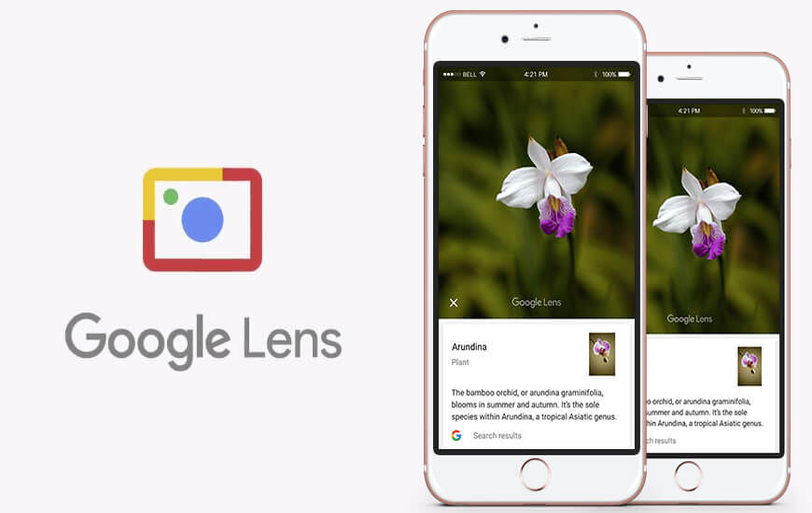
Google finally started rolling out the Google Lens for iOS devices and will be available globally in the coming few weeks. The Lens is a popular feature from the search giant that was initially released for Pixel smartphones and recently made available to all the Android devices. Now, the Lens for Google photos is also available to iOS devices with the 3.15 version of the iOS app.
The Google Lens an advanced functionality of the Google photos enabled with recognition-tool for the users. The Lens can identify the objects, landmarks, paintings from the museums, animals, plants, and books. In addition, the Lens also recognizes the business cards and can save address or number from the card to the user’s phone. When a user's open an image in Google Lens it identifies the object and puts the information available about it in front of the user.
“Starting today and rolling out over the next week, those of you on iOS can try the preview of Google Lens to quickly take action from a photo or discover more about the world around you,” Google noted in the tweet.
Starting today and rolling out over the next week, those of you on iOS can try the preview of Google Lens to quickly take action from a photo or discover more about the world around you. Make sure you have the latest version (3.15) of the app.https://t.co/Ni6MwEh1bu pic.twitter.com/UyIkwAP3i9 — Google Photos (@googlephotos) March 15, 2018
In order to use the feature iOS users need to access the Google photos and open any image. Now, click the Lens icon available on the screen, the Lens will immediately identify object and spit out all the information about it. On the business cards it recognizes the name, number, and address and allow user to save, along with this it also saves events to the calendar. In addition, Google also mentioned that whatever action users perform on the Google Lens it gets saved on the Google account if the web and app activity setting of the phone is enabled. The users can view and delete the activity history by going to the ‘My Activity’ page.
Moreover, Google Lens can also be used to copy or perform some actions on the text visible in the image, get directions, access a website, copy and paste a recipe, call a number and much more.
By Arpit Dubey
Arpit is a dreamer, wanderer, and tech nerd who loves to jot down tech musings and updates. With a knack for crafting compelling narratives, Arpit has a sharp specialization in everything: from Predictive Analytics to Game Development, along with artificial intelligence (AI), Cloud Computing, IoT, and let’s not forget SaaS, healthcare, and more. Arpit crafts content that’s as strategic as it is compelling. With a Logician's mind, he is always chasing sunrises and tech advancements while secretly preparing for the robot uprising.
OpenAI Is Building an Audio-First AI Model And It Wants to Put It in Your Pocket
New real-time audio model targeted for Q1 2026 alongside consumer device ambitions.
Nvidia in Advanced Talks to Acquire Israel's AI21 Labs for Up to $3 Billion
Deal would mark chipmaker's fourth major Israeli acquisition and signal shifting dynamics in enterprise AI.
Nvidia Finalizes $5 Billion Stake in Intel after FTC approval
The deal marks a significant lifeline for Intel and signals a new era of collaboration between two of America's most powerful chipmakers.
Manus Changed How AI Agents Work. Now It's Coming to 3 Billion Meta Users
The social media giant's purchase of the Singapore-based firm marks its third-largest acquisition ever, as the race for AI dominance intensifies.