
Silentus App Review - Fight Procrastination
With the increasing reliance on smartphones, it has also become quite normal to be annoyed by unwanted notifications. Whether during studies or watching a movie, we all have faced situations where our smartphones have caused disturbances in our lives by sending us notifications that we do not find relevant or have any need for. Thus, the need to use the best productivity apps to improve efficiency and eliminate distractions has rapidly increased.
To help users in avoiding unwanted notifications, Silentus, one of the apps to increase productivity, came into existence with required features that can help you personalize the alerts that you want. However, there are some additional features of this one of the top productivity apps for iPhones and Android as well which are integrated to improve the efficiency of your tasks.
In this Silentus app review, we are focusing on understanding the features of this one of the top productivity apps better. We will also rate this one of the best productivity apps for Android to improve efficiency and productivity on the basis of several factors to help you in understanding its worth better.
Pros and Cons of Silentus
Pros
- One-tap silent mode lets you quickly disable notifications and focus without digging through settings.
- Built-in journal helps track goals and visualize progress using simple graphs.
- Lets you create editable lists of apps and contacts to control which notifications you want to silence.
- Offers social media integration to ensure relevant alerts come through while filtering distractions.
- Provides personalized insights to help analyze and improve productivity over time.
Cons
- Premium features are locked behind a monthly subscription, limiting functionality for free users.
- The app may feel too minimalistic for users looking for gamified or more engaging productivity experiences.
Background of the Silentus productivity tracker app
“Under the new normal of remote work and hybrid workplace, the amount of distractions and stimuli workers get is massive. This makes Silentus more relevant to help professionals keep their productivity high while improving their work-life balance.”
- Hugo Valdivia, Co-founder of the Silentus app
The Silentus app, one of the best apps to increase productivity, was co-founded on January 31, 2022, by Hugo Valdivia and Maimoona Shafeeq. The app was designed with a vision to help users in getting rid of annoying notifications and keep their productivity levels in control while ensuring that their stress levels are reduced.
Features of the Silentus app
The Silentus work productivity app is designed to help users in boosting their productivity by reducing the number of notifications they received on their smartphones. However, to understand how this time-tracking app achieves its goals, it is crucial to understand its individual features and benefits to download Silentus. Let’s have a look at them-
1. Easy to enter and track goals
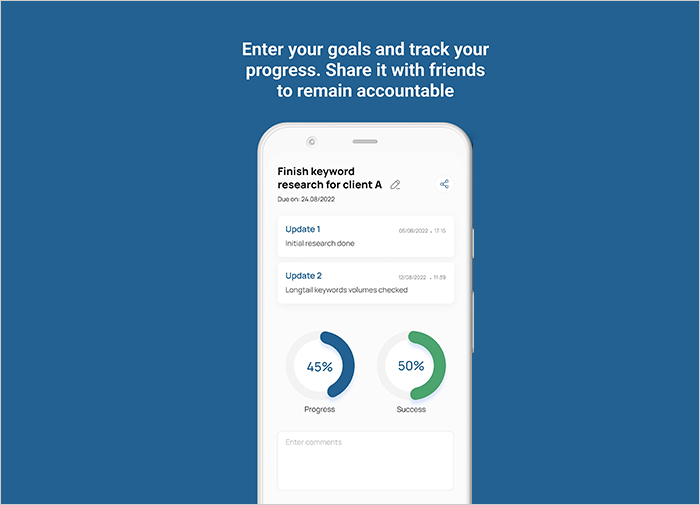
You can download Silentus, one of the best time management apps, to use it as a journal app too. As one of the best journal apps, Silentus can help you to improve efficiency and productivity by keeping a record of your goals and every phase of the journey toward achieving your goals. The journal feature that you get with the Silentus app download uses graphs to display the percentage of goals you have achieved and the progress you have made already. However, the accuracy of your progress can be displayed if you are regularly recording your progress yourself.
2. Create and manage allowed lists to maintain notifications
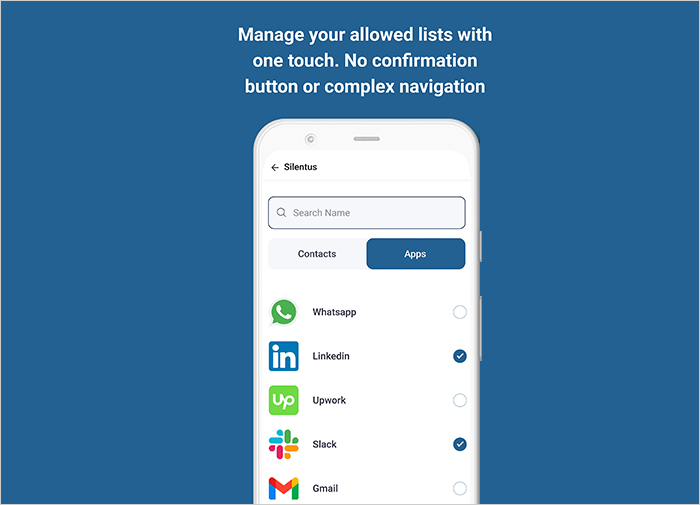
This one of the top productivity apps allows you to create a list of apps by selecting them so you do not receive their notifications. The process of selecting these apps is quite simple as you just need to select them in this one of the best productivity tracker apps by touching the button with their names from the list and when these apps are marked with a tick, you will not be disturbed by any of them.
3. Minimalistic user interface
The user interface of Silentus, the top app to track work hours, is quite simple and easy to use. It uses a minimalistic design in its user interface so every part of the interface is easy to eyes and simple to understand. The simple interface of this one of the best productivity apps for iPhones and Android smartphones makes it easier for users of all age groups to be able to use the app.
4. Personalized dashboard to track your progress
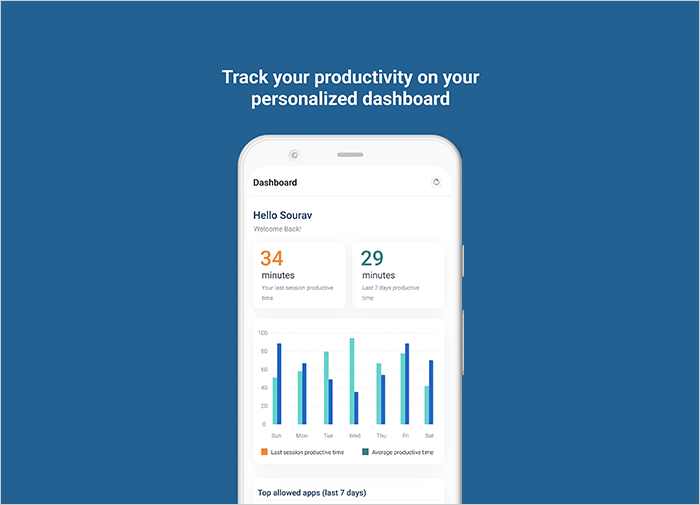
The Silentus app comes with a personalized dashboard that can help you in tracking your multiple goals at the same time. After going for the Silentus app download, you can select goals and check how much progress you have made toward that goals.
5. Switch the Silentus app off with one tap
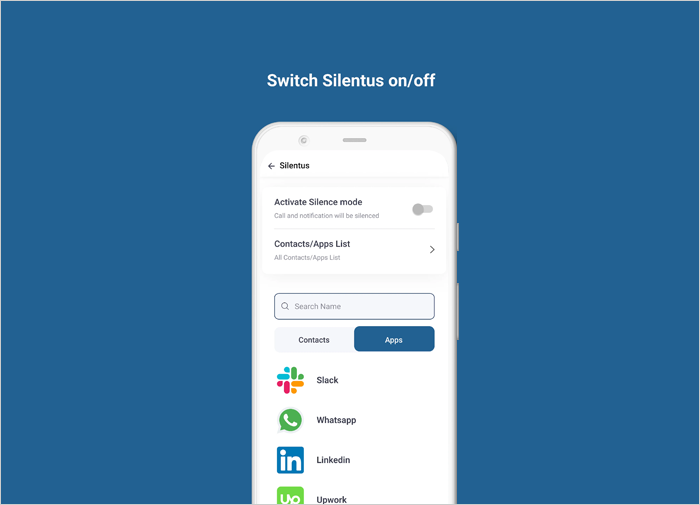
The Silentus app, one of the best productivity apps for Android and iOS devices, switches off or on the silence mode with a single tap. The Single tap will enable or deactivate the notifications of all apps that you selected on this work productivity app.
Customer Reviews
How was your experience with the product?
Also Reviewed By Us