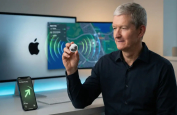
The iOS 26.2 update brings welcome adjustments to the lock screen, tighter security for AirDrop, and improvements to Podcasts and Music for eligible iPhones.
It has been a divisive few months for iPhone owners. Since iOS 26 landed, the much-hyped "Liquid Glass" interface has felt less like a futuristic leap and more like peering through a smeared window. But while today’s release of iOS 26.2 brings a welcome fix for that design stumble, the reason you must install it immediately is far less cosmetic.
Apple has issued a stark warning alongside the update, confirming that it patches over 20 security vulnerabilities—including two that have been actively exploited in "extremely sophisticated attacks."
Beyond the critical security patches, iOS 26.2 delivers genuine utility upgrades: offline lyrics for commuters, tighter privacy controls for AirDrop, and sorting options for the Games app.
Here is the unvarnished truth on the iOS 26.2 features and the security threats that make this an essential download.
The Security Threat: ‘Do not wait’
This is not a routine maintenance release. The update addresses two specific zero-day vulnerabilities—CVE-2025-43529 and CVE-2025-14174—affecting WebKit, the engine that powers Safari and all web content on iOS.
Discovered by Google’s Threat Analysis Group (TAG), these flaws allow malicious web content to corrupt memory and execute code on your device. The nature of the disclosure suggests these were weaponised as part of a "mercenary spyware" chain, designed to target journalists, activists, and high-value individuals.
The security sweep doesn't end there:
- Kernel Fix (CVE-2025-46285): Patches a flaw where malicious apps could gain root privileges.
- FaceTime Privacy: Resolves a bug where password fields could be unintentionally exposed during screen-sharing sessions.
- App Store Safety: Fixes a vulnerability that allowed apps to access sensitive payment tokens.
The advice from security experts is univocal: do not wait. Update your device immediately.
Apple confirmed the fixes in its official iOS 26.2 security advisories, while Google’s Threat Analysis Group independently disclosed the WebKit exploits.
Design & Interface: Clarity returns to the Lock Screen
For the average user, the most visible change addresses the complaints surrounding the Liquid Glass clock. Apple’s designers have conceded the point, adding a dedicated slider in iOS 26.2 to adjust the opacity of the effect.
It is a tacit admission that readability shouldn't be sacrificed for style. Users can now dial down the frosting effect to restore the sharp, crisp aesthetic of previous operating systems. It is a small tweak, but one that effectively ends the "smudged screen" controversy.
Media, Gaming, and AirDrop Upgrades
Beyond the panic and patches, iOS 26.2 introduces functional improvements that arguably should have been present at launch.
1. Media catches up to reality
Apple Music finally adds offline lyrics. Previously, lyrics would vanish the moment your connection dropped; now, if a track is downloaded, the words are cached alongside it. The Podcasts app also gets smarter, with auto-generated chapters and transcripts that intelligently highlight links and other shows mentioned by hosts.
2. Gaming gets organized
The Games app has received a quiet but useful overhaul. You can now sort your library by file size—crucial for managing storage—as well as by category. The update also brings real-time score updates for challenges and improved compatibility for Backbone and Razer controllers.
3. AirDrop and Safety
In a move to curb digital harassment, AirDrop now includes a verification step for transfers with unknown contacts. The recipient's device displays a PIN code, which the sender must input to complete the transfer. It adds friction, yes, but it effectively kills "cyber-flashing" in public spaces.
Additionally, for US users, the system can now push rich notifications for imminent threats like floods or earthquakes, providing maps and safety guidance directly in the alert.
Quality of Life: Sleep Scores and Reminders
Buried in the release notes are two significant changes to daily workflow and health tracking:
- Reminders with Teeth: You can now attach actual alarms to reminders, complete with snooze functionality and Live Activity integration. It forces you to pay attention to your to-do list rather than passively ignoring a banner.
- Sleep Score Revamp: The Health app has simplified its sleep tracking to a 100-point scale. It aggregates duration, consistency, and interruptions into a single score, though Apple notes you will need a full eight hours of rest to hit the maximum points for duration.
- Freeform Tables: For the productivity-focused, the Freeform app finally supports tables that automatically resize, allowing for better structure on the infinite canvas.
Eligible devices
Apple has dropped support for the iPhone XR and XS series with this cycle. To access the iOS 26.2 new features and critical security patches, you must be using an iPhone 11 or newer.
Compatible devices:
- iPhone 17 series: iPhone 17, 17 Pro, 17 Pro Max, iPhone Air
- iPhone 16 series: iPhone 16, 16 Plus, 16 Pro, 16 Pro Max, iPhone 16e
- iPhone 15, 14, 13, and 12 series (all models)
- iPhone 11 series: Standard, Pro, and Pro Max
- iPhone SE: 2nd generation and later
How to Update to iOS 26.2
To install the update:
- Open Settings
- Tap General
- Select Software Update
- Download and install iOS 26.2
Given the confirmed zero-day exploits addressed in this release, this is not an update to postpone.