

Voice Recorder Lily
Looking for a clean, easy-to-use voice recorder? Check out our honest review of the Voice Recorder Lily app.
Voice Recorder Lily Review: Best App For High-Quality Audio?
Voice Recording seems to be a basic function that now comes pre-installed in the majority of smartphones.
But, the thing is...those in-built voice recorders cannot be described as a ‘Smart’ voice recorder that can do a bunch of other tasks instead of just recording the voice in a boring and old-fashioned manner.
And that’s what we have for you today, a digital voice recorder application, Voice Recorder Lily that can effectively record your voice, dictate it and even act as your go-to audio editor. Keep on reading this app review to know what else Voice Recorder Lily has to offer its users.
About Voice Recorder Lily
We are now more dependent on smartphones than ever. And in situations when you don't have access to a notebook to jot down your ideas, using a voice recorder can be the best solution. In such times, Voice Recorder Lily can turn out to be a quick and easy answer to this query.
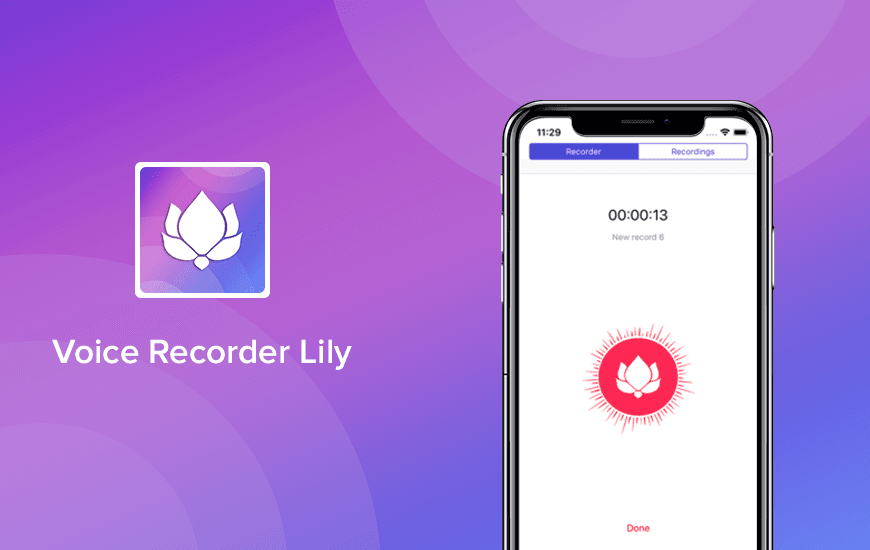
Logo:
The logo of the Voice Recorder Lily app is simplistic in nature and consists of the ‘trending’ UI design approach i.e. the gradient. The background is what catches the eye but the central bold white ‘Lily’ is what shows the direct connection with the name of the app.
Pros and Cons of Voice Recorder Lily
Pros
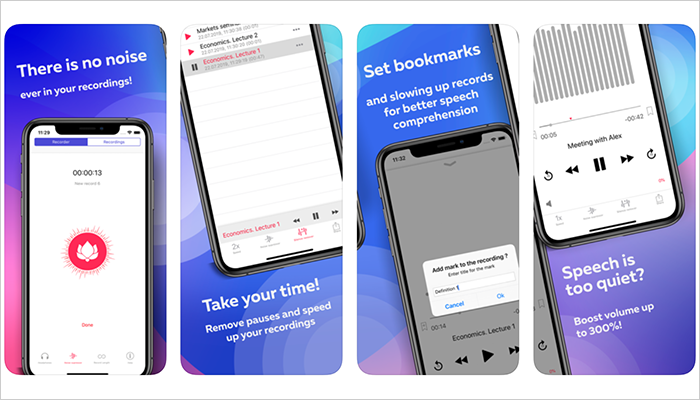
- Reduces background noise effectively, even in noisy environments
- Boosts quiet audio up to 300% for clearer playback
- Timer-based recording for hands-free convenience
- Removes silences to save storage and make playback smoother
- Bookmarking helps easily revisit key moments in long recordings
Cons
- Most advanced features are locked behind the Pro version
- The free version contains ads
- No offline cloud sync unless upgraded
- Limited export formats in the basic version
Notable Features Offered By Voice Recorder Lily App
Here are the key features offered by this Voice Recorder Editor to its users:
- Noise Cancellation: Just plug in your headphones and enjoy the recorded sound without any sort of unwanted noises.
- Custom Recording: You have the option to choose a suitable recording length, that’s when Voice Recorder Lily will stop and save your voice recording.
- Volume Enhancement: If in case the voice recorder is far from the speaker, the smart recorder app will enhance volume as per your preference.
- Save time: Users can easily listen to a recording at a rate that is 2.5 times faster than the original recording pace without any noise distortion.
- Bookmarking: The digital voice recorder offers its users with bookmarks so that they can return to certain points of interest, whenever they want.
- Elimination of Silence Gaps: Voice Recorder Lily app cuts of silence gaps from your recording. It is one of the key features as in most of the voice recordings the silence periods take about 30 percent of the overall record space.
For us, Product Reviews mean diving headfirst into the functionality of each digital product, whether it’s an app, software, or website. Our process centers around hands-on testing of each tool we pick. From scrutinizing features to testing vulnerabilities of security standards, the goal remains to help you find products that don’t just work but truly elevate your experience. In a nutshell, if we’re recommending a product, it’s because we believe it’ll genuinely make your digital life easier.
- Products Reviewed - 4,000+
- No. Of Experts - 20+
- Categories - 65+
Customer Reviews
How was your experience with the product?
MobileAppDaily’s POV on the Voice Recorder Lily App
As a writer at MobileAppDaily, I’ve tried my fair share of voice recording apps, but Voice Recorder Lily stood out for its simplicity and surprisingly smart features. I first downloaded it to record an interview in a noisy café, and the app did a decent job filtering out background noise.
What really impressed me was the ability to boost faint voices and automatically remove silences—huge time-savers during playback. The timer-based recording and bookmarking also made it easy to manage longer sessions without constantly monitoring the app.
A couple of teammates also gave it a spin—one used it to record an online class, while another tested it during a team meeting. Both appreciated how it maintained clarity even when voices varied in volume. That said, we did find some limitations.
The free version includes ads, and many useful features like cloud sync, advanced filters, and editing tools are locked behind the Pro version. Still, for a lightweight recorder with smart functionality and affordable upgrade options, Voice Recorder Lily makes a strong case for itself.
FEATURE
Smart noise reduction, silence trimming, volume boost, and bookmarking make it highly practical for everyday use.
PRICING
Offers an affordable Pro version, but many core features are locked behind a paywall; free version includes ads.
PERFORMANCE
Handles noisy environments well and delivers clear audio, though performance may vary slightly with background intensity.
USER FEEDBACK
Simple and clean layout that’s easy to navigate, but could use more polish and customization options.
Final Verdict!
Voice Recorder Lily strikes a solid balance between simplicity and smart functionality, making it a great tool for students, professionals, and anyone who needs reliable audio capture on the go. While the free version is limited by ads and locked features, the Pro upgrade is reasonably priced and unlocks powerful tools like cloud sync, advanced filters, and editing capabilities.
If you're looking for a no-fuss recorder that handles noise well and adds real convenience through features like silence trimming and bookmarks, Lily is definitely worth trying out.
Voice Recorder Lily
Frequently Asked Questions
-
Can you secretly voice record someone?
Secretly recording someone without their consent is considered to be unethical in the majority of states.
-
How can I improve the sound quality of a recording?
-
How can I make my voice sound professional?
-
How can you make the voice sound better while recording?
Latest Products
Delve into our comprehensive yet easy-to-consume guides, which provide insights that help scale business faster and prevent unseen pitfalls.
Related Products
Cut through the clutter and explore related digital products that deliver on performance.