

We are not biased. We test and review every product. Here’s our Methodology.

Offers better accessibility and security for your data!

MobileAppDaily Certified Rating
3.6 out of 5
Available on:
Let Your Product Take the Center Stage with Our Review
Sakshi Kaushik

Written By Sakshi Kaushik

Sakshi Kaushik is a curious storyteller who brings clarity to the chaos of innovation. She dives into artificial intelligence, blockchain, fintech, and healthtech, turning complex concepts into content that's both insightful and easy to follow. With a knack for making tough topics feel approachable, Sakshi writes for readers who want to stay informed without getting overwhelmed. Her work is where smart meets simple—blending curiosity with clarity, and delivering tech stories that resonate in a world that never stands still.

Explore More By Author

Clipboard PRO App - Keep Notes Ready to Use Always
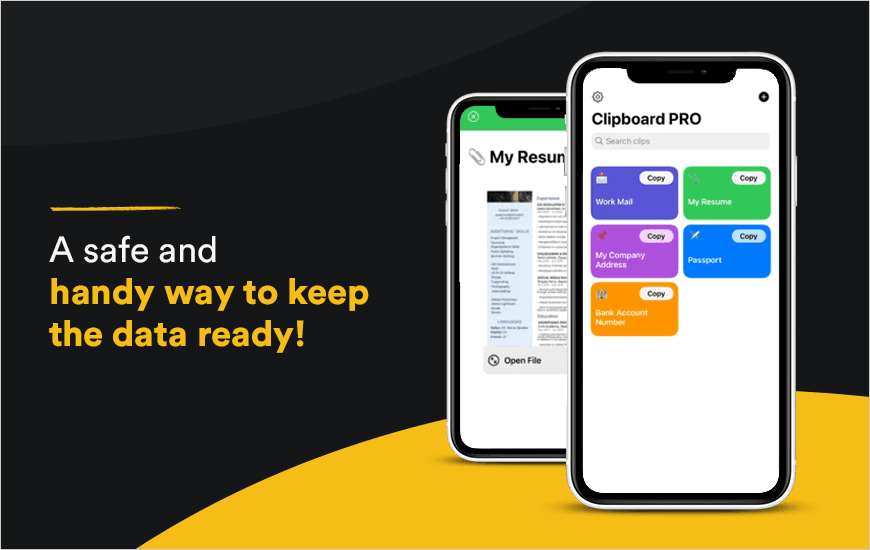
clipboard pro banner

Finding information such as credit card details, email addresses, and more every time you need them can give you a headache, especially if all the data is spread at different locations. Thus, the top clipboard app for iPhone, Clipboard PRO is the perfect solution that you need. The Clipboard iOS app allows you to save such information in the form of clips into the app so that you can easily access or share them with a couple of taps.

In this blog, we are diving into the features of this amazing clipboard in the iPhone app. If you are looking for an amazing handy notes app that can accompany you through your multiple tasks such as payment, notes, and more, read this blog until the end.

Background of the Clipboard PRO app

Before we proceed further in this Clipboard PRO App Review, let’s have a look at its background first. The Clipboard app for iPhone devices was initially launched on November 23, 2020, by Giuseppe Travasoni and Fabio Ugolini. The app is designed to ensure that Clipboard PRO Download makes it useful not only for personal use, but for professionals such as artists, developers, or designers too. With the freedom to store the content of many formats including images, texts, and more, a huge range of users can enjoy its features.

“We created Clipboard PRO to address needs that we were experiencing ourselves. We needed something to easily access content, instead of always having to search through files and apps. I was losing time to always access the same documents. Every time I had to search through different places, instead of having everything immediately available. To be honest, Clipboard PRO has become the app I use the most.”

- Founders, Clipboard PRO app

Pros and Cons of Clipboard PRO

Pros

  • Free to install
  • Support for multiple devices
  • Supports Dark Mode
  • Comes with a Widget
  • Allows icon personalization
  • Touch ID or Face ID to lock the app
  • A single tap is all it needs to copy

Cons

  • Includes premium features

Features of the Clipboard PRO app

Moving forward, we are discussing the crucial features of this amazing handy notes app so that we can rate it better later.

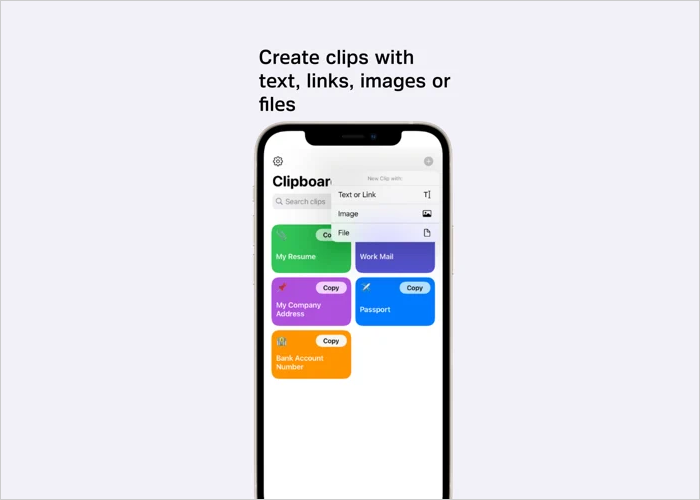
1. Keep your important data always ready
Clipboard PRO app

Be it images, links, or texts, on this Clipboard in the iPhone app, you can ensure that your data is always ready to be accessed so that you can share it or use it anytime you want. It hardly takes more than two taps for you to access the data again.

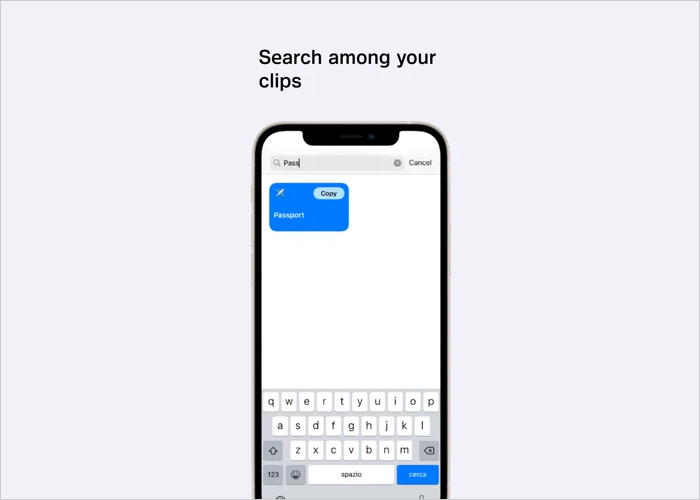
2. Search feature to help you in finding data easily
Clipboard PRO app

Does not matter how much of the information you store on this Clipboard app, you can always access it easily by using the Search Bar. The Search Bar gives you the freedom to locate stored data with the help of keywords. It saves time and makes data management easier for you in the app.

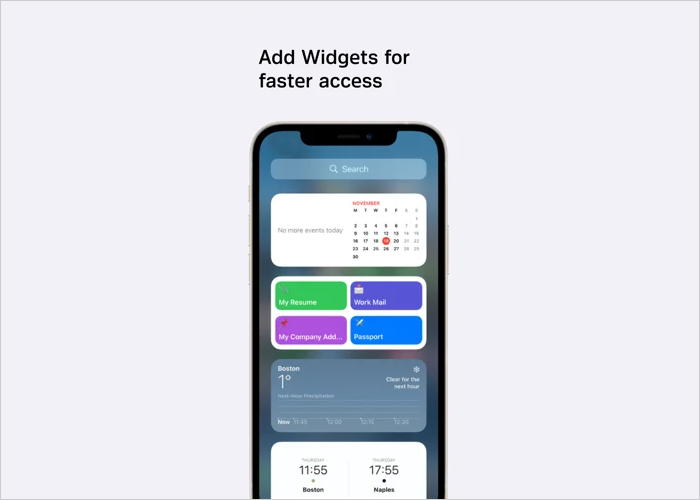
3. A widget for a faster access
Clipboard

To ensure that the Clipboard PRO Download brings you an experience of comfort for using the app, it comes with a widget that you can access from the home screen itself. With a single tap, you can enter into the app without even having to explore your app panels.

4. iCloud synchronization
Clipboard

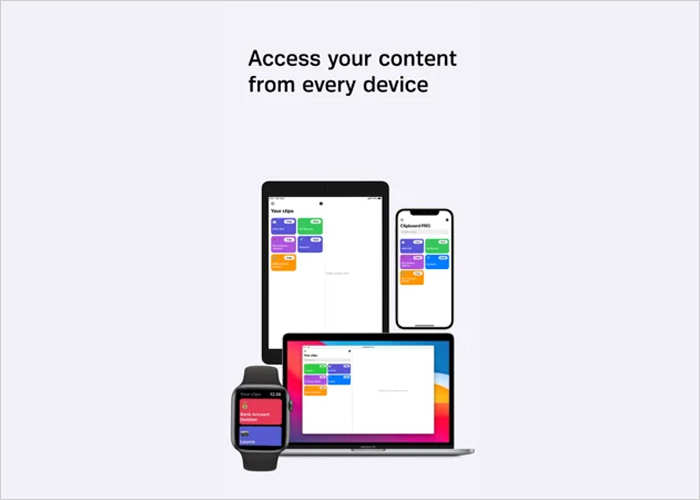
The one feature that surely needs to be mentioned in this Clipboard PRO review is its iCloud synchronization. The feature allows you to save your data on your iCloud storage space so that you can access it without any hassle from multiple devices such as iPad, MacBooks, and more. 

5. Face ID support for extra security
Clipboard

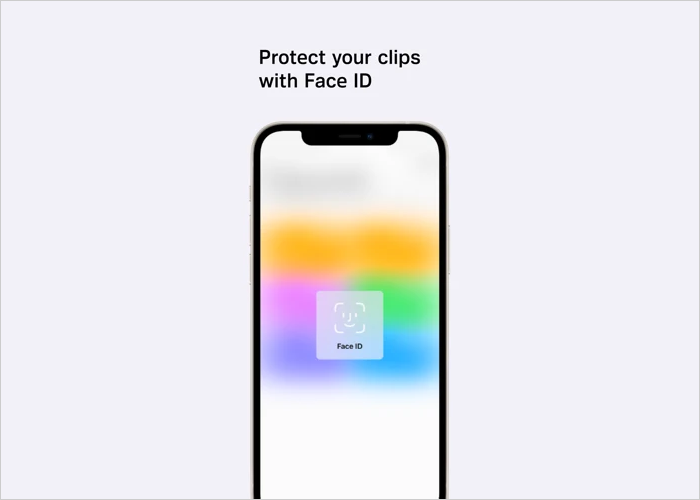
Face ID support is a feature that you can not ignore, especially if you are getting a Clipboard PRO review done. The feature gives your data a perfect layer of security that ensures that your data is safe against any possible cyber-attacks or steal attempts.

How to access Clipboard on iPhones?

You can download the Clipboard PRO app easily from the Apple App Store for iOS devices. For your reference, the download link for this Clipboard iOS app is given at the end of this blog as well.

Why Trust MobileAppDaily?

For us, Product Reviews mean diving headfirst into the functionality of each digital product, whether it’s an app, software, or website. Our process centers around hands-on testing of each tool we pick. From scrutinizing features to testing vulnerabilities of security standards, the goal remains to help you find products that don’t just work but truly elevate your experience. In a nutshell, if we’re recommending a product, it’s because we believe it’ll genuinely make your digital life easier.

  • Products Reviewed - 4,000+
  • No. Of Experts - 20+
  • Categories - 65+
Explore Our Methodology

Customer Reviews

Rate the product based on your experience?

How was your experience with the product?

Also Reviewed By Us

MobileAppDaily's Point of View on Clipboard PRO App

The Clipboard PRO app is a versatile and highly efficient tool designed for individuals who need quick and easy access to a wide range of data like texts, images, and links. We were particularly impressed with its easy-to-use interface and quick access features, such as the ability to retrieve saved content with just a couple of taps.

The iCloud synchronization and Face ID support are major highlights, adding both convenience and security. This makes it an ideal app for professionals and regular users alike who need to streamline their workflow and store vital information securely.

However, while the app’s core functionality is impressive, we did find a few limitations. For instance, some advanced features are locked behind a premium subscription, which could be a dealbreaker for those who are looking for a fully free solution.

Additionally, the lack of integration with other platforms may limit its use for users who want more versatile clipboard management across different devices or operating systems.

Feature

FEATURE

3.5

Excellent features such as iCloud sync, Face ID support, and quick data access.

Pricing

PRICING

4.0

Free to install, but some advanced features are locked behind a premium paywall.

Performance

PERFORMANCE

3.0

Smooth performance with efficient syncing and widget functionality.

User Feedback

USER FEEDBACK

4.0

Users are generally happy, though some request more integrations and features.

Final Thoughts

The Clipboard PRO App indeed has a long way to go, but being a new app, its features and usability are amazing. This Clipboard PRO App Review is done after the thorough review of the app by experts. Thus, you can download the app to use its amazing features to make your personal or professional work more comfortable.

Now, before we wind up this blog, we just wanted to let you know that you can also get your app reviewed by MobileAppDaily experts if you own one. An app review such as this one ensures that your app reaches a wider audience and you also get to know if there are any scopes of improvements in your app.

Latest Products

Delve into our comprehensive yet easy-to-consume guides, which provide insights that help scale business faster and prevent unseen pitfalls.

Related Products

Cut through the clutter and explore related digital products that deliver on performance.

Fill in the details, and our team will get back to you soon.

Contact Information
+ =

Fill in the details, and our team will get back to you soon.

Contact Information
+ * =