
Slazzer App: Remove Image background in seconds
Editing images is a necessity for many individuals and businesses these days. While creating high-quality images for different purposes, cutting out the primary object of the image is one of the most crucial steps, as it directly affects the result. Many individuals, photographers are constantly editing pictures and removing backgrounds for different purposes. It's a manual and tedious process that needs to be done slowly and requires a lot of time.
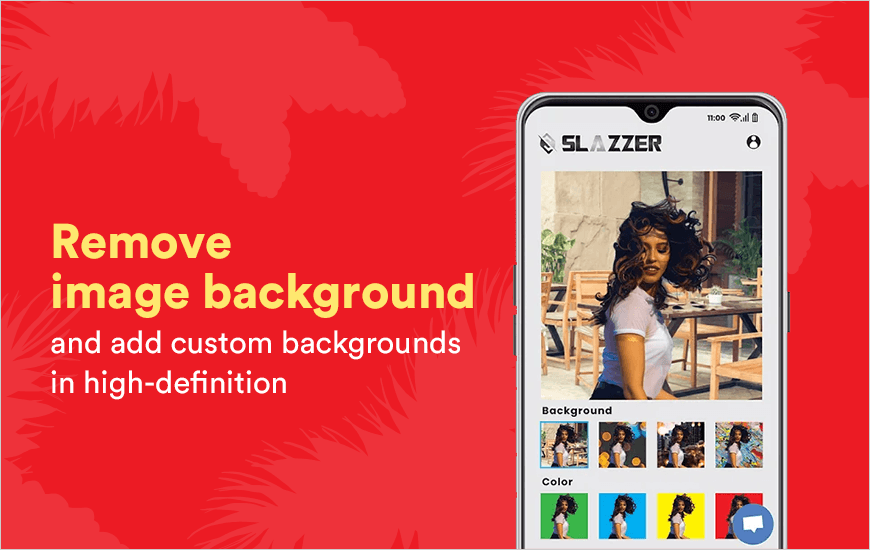
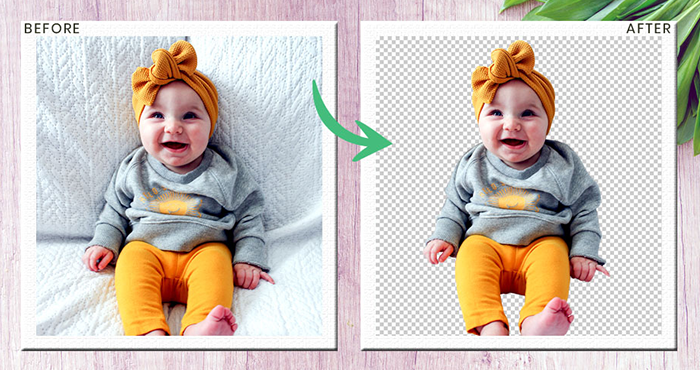
Introducing the Slazzer app, the easiest and fastest way of removing backgrounds from any image while keeping the primary object perfectly sharp and detailed. Slazzer app works like magic and removes backgrounds even from complicated images, leaving no trace of the cut-out.
Our experience with the Slazzer app was nothing short of extraordinary. For this Slazzer app review, we got around the Slazzer app, looked in and out, and found what makes this new app a gamechanger in the world of editing.
Pros and Cons of Slazzer
Pros
- Meticulously removes backgrounds with high detail, even for complex elements like hair.
- Removes backgrounds in a couple of seconds or mere seconds.
- Efficiently handles thousands of images, saving significant time for professionals.
- Allows adding custom colors, images, and offers variable depth-of-field.
Cons
- While free for previews, downloading full HD images or extensive use requires purchasing credits or a subscription.
- Lacks options for fine-tuning or manual adjustments after the AI-powered removal.
- No iPhone Version (at the time of article writing).
Features making the Slazzer App best for creating customised backgrounds
There are several features which makes it a go-to app for every photo editor.
1. Easy to and meticulous object cropping
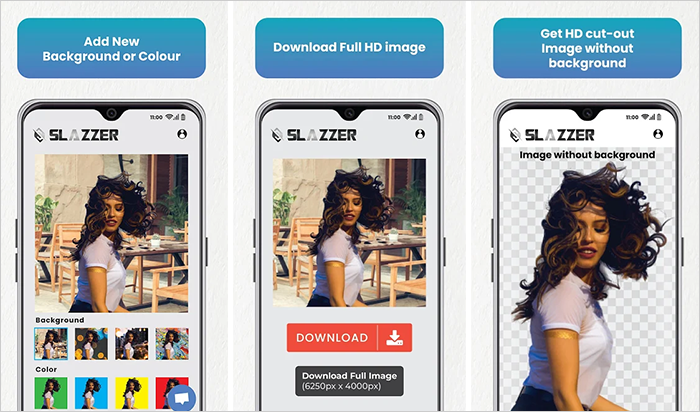
Editors can upload an image in the Slazzer App and it will crop the primary object and remove background in a couple of seconds. To remove background from images all you need to do is upload the image in this automatic background remover.
2. AI-powered perfection
What makes the Slazzer app so efficient and fast is its integration with Artificial Intelligence. The extensive AI systems give better than professional results in a few seconds, allowing users to edit thousands of images in a day. Talk about efficiency.
3. Edit images and change backgrounds
With the Slazzer App, you can add various backgrounds of colours to your primary cut-out. Once you have the cut-out, you can add background images by exploring your device and add your cut out on the top of it, giving perfect results in seconds. You can add customise backgrounds from the devices as well as from the many templates available in the Slazzer app.
4. Choose from variable depth-of-field
Depth-of-field is an advanced concept which makes photos realistic. With the Slazzer app, you can customise your image’s depth-of-field and decide how sharp you want your background to be. The principal is that the primary object tends to be sharper than the background, which varies sharply for various purposes. With Slazzer you can experience all those variable results when you add background images.
5. HD Quality
You can create vast images, exceeding the high-definition limit for hoardings, wall-size banners and whatnot. No matter what your applications are, this automatic background remover will create HD images for you every time.
6. Free
The Slazzer app is free of cost and can be downloaded and used for free.
7. Future Integration
The developers of the Slazzer app are going to launch integrated automated extensions and plugins for WooCommerce, Figma, Sketch, Photoshop and Shopify, which will allow the users to remove background in a few seconds on all these platforms.
How does the Slazzer photo background remover work?
Follow the steps to remove background from your images:
Step 1: Download Slazzer app from the store.
Step 2: Run it and allow the permissions.
Step 3: Click on “Open image” and select the image you want to erase background from.
Step 4: Wait for 5 seconds. You have the image with no background.
Step 5: Click on download and select the download quality.
Step 6: Click on ‘Edit” if you want to add a customised background to your image.
Customer Reviews
How was your experience with the product?