

Quip: A Project Management Mobile App
Sales and service teams make one of the prominent parts of every company and therefore, the workflow between these two entities should be as smooth as Tennessee whiskey. The better the ease of collaboration between the teams, the better will be the productivity.
Quip is a remarkable productivity solution for Salesforce customers that enable the work teams to make living documents. The project management app offers every tool to the user that can streamline the whole process of documentation. Right from creating the doc to sail across the endless chains of docs, and communicating over integrated chat to the spreadsheets, the Quip app is packed with all.
The app aims to simplify collaboration and communication over any device, be it desktop, tablet, or smartphone. In our Quip review, we will be focusing on the Quip app that was rolled out after the acquisition of Quip by Salesforce.
About Quip Project Management App
Quip, a document-based, mobile-first collaboration tool, offers spreadsheets, slides, real-time documents, and chat inside Salesforce. It makes it possible for teams to get everything done in one place.
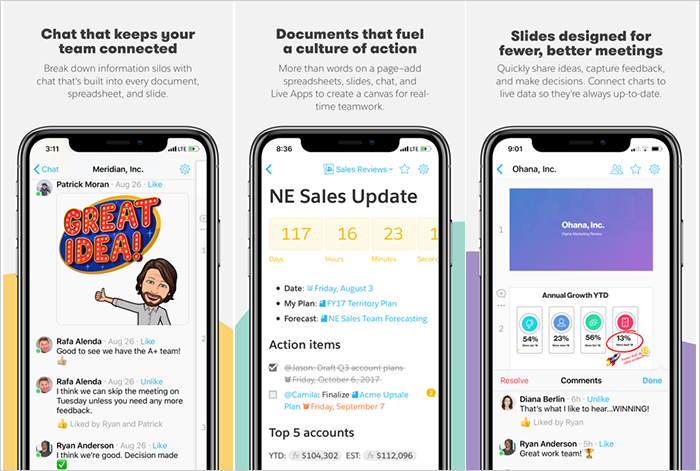
Quip spreadsheets can be used to store salesforce data and real-time chat. These charts can be further included in the slides. And for better engagement & feedback, you can make use of the slides that help you avoid meetings and unnecessary file versions.
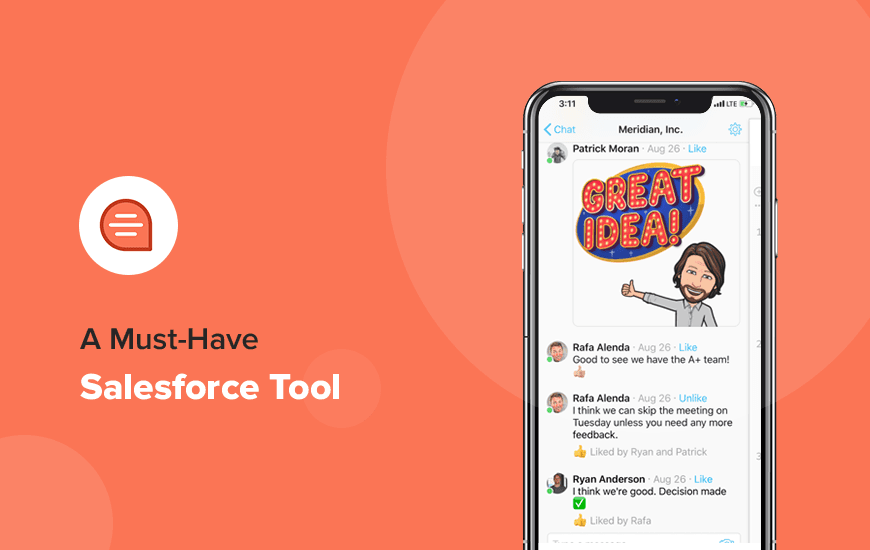
Then there is an in-built chat feature that goes beyond the regular chat function and incorporates the documents and collaborative spreadsheets.
To sum it up, you get the following benefits with the Quip free project management app:
- Online spreadsheet collaboration
- Robust scalability
- Concentrated admin controls
- Global support and success
- Multi-device connect
- Enterprise-grade security and protection
Quip App Features
The following are the features of the Quip free project management app that encourages effortless collaboration and communication across teams:
1. Document Sharing and Task Lists
- Option to edit docs with co-workers.
- Note editing enabled from the device.
- Grocery list sharing with family members.
- Task management for home and office.
- Chat with team members on docs and project.
- Track of real-time checklists.
2. Chat and Messaging
- Real-time chat and messaging feature in docs and project.
- Access to chats on the phone, tablet, or desktop.
- Option to create chat groups for friends or office colleagues.
3. Quip Collaboration on Spreadsheets
- Spreadsheets with support for over 400 functions.
- Customized mobile keyboards.
- Option to embed in the docs.
- Cell by cell commenting and annotations.
4. Ease of Access
- Easy access to chats, docs, spreadsheets, and task lists on phone, tablet, and desktop.
- Facility to review changes, annotations, and comments, to docs and Quip collaboration on spreadsheets.
- Offline support.
- Synced across all the devices.
5. Import and Export
- Import accessibility from Dropbox, Google Drive, Evernote, and more.
- Export option to Microsoft Word and Excel.
- Address book import from Gmail, Yahoo, Google, and more.
6. Avant-Garde Security Structure
- Encryption
- Granular admin controls
- External sharing and access management
- Secure mobility
- Data privacy and governance
- Single-tenant cloud
MAD Verdict: Quip App Review
Undoubtedly, Quip is one of the best team project management apps. In our Quip review, we found the app an excellent tool to propel the efficiency of teams and has almost every element that can add to the company’s productiveness.
The only drawback of this app is the limited functionalities if compared to the web version of Quip. For instance, the app doesn’t have all the security features that one gets in the web version. Also, there are limited productivity tools in the mobile app.
However, unlike many other free task management apps that promise to elevate the company’s operations, the Quip app is free to use. If someone wants to get more out of the Salesforce platform, he can shift to the web version of the Quip and from there, he can choose between the starter pack and enterprise pack.
So, if you are stuck with the despicable serviceability of your team, it’s time to shift to the Quip Salesforce integration app.
Customer Reviews
How was your experience with the product?