
PixelFlow Video Editor Review – Your Guide to Mobile Video Editing

Videos work like a magic wand, that too, when web attention is short and the market is extremely crowded. Let's say you're running a business, and if people don't see what your business is all about, then how would they trust you? That's exactly what the video does.
If you are a digital content creator, YouTuber, or trying to grow your channel, working with intro videos and animations is something you do quite often. The intro videos are effective marketing tools that let your audience know what the brand is all about. Now, the question is how to create high-quality videos in less time.
Gone are the days when you really require an expert video editor or heavy software applications to create videos for your brand. Now, you can create engaging intro videos for your YouTube channel in just a few minutes. All you need is the best youtube intro maker.
There are hundreds of video-making applications available, but how would you choose the best? Don’t worry we’ve done the leg work, we’ve brought a super useful and free intro maker app PixelFlow, which lets you create a scroll-stopping intro and animation for your YouTube channel without that expert video maker or editor.
The Pixel intro maker app contains 100+ text animations, 500+ ready-to-use editable templates, and a beautiful interface that helps you create cool intros and animated videos smartly.
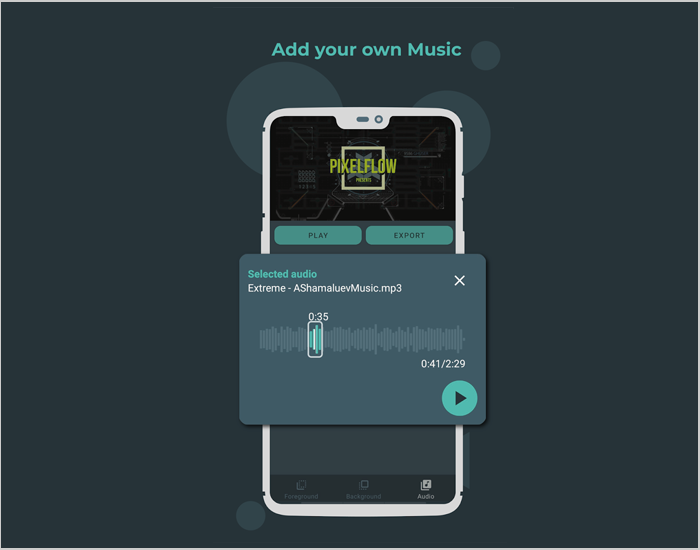
In addition to this, you can get many customization options to edit your videos, change fonts, colors, background, and add your favorite music.
Let’s get started with the text animation app - PixelFlow app review to understand this app in-depth.
Pros and Cons of PixelFlow
Pros
- User-friendly interface, easy for beginners
- Wide range of animated text templates
- Good customization options (text, colors, animations)
- Works offline without internet
- Supports multiple export formats
Cons
- Limited advanced features for complex animations
- Occasional lag or crashes with large projects
- Some features require in-app purchases
- The free version exports videos with a watermark
Top Features of PixelFlow app
PixelFlow app is a free intro maker download that helps you create intro videos, logo animations, text animations, and more. Here’re the key features of the Pixel text animation maker app.
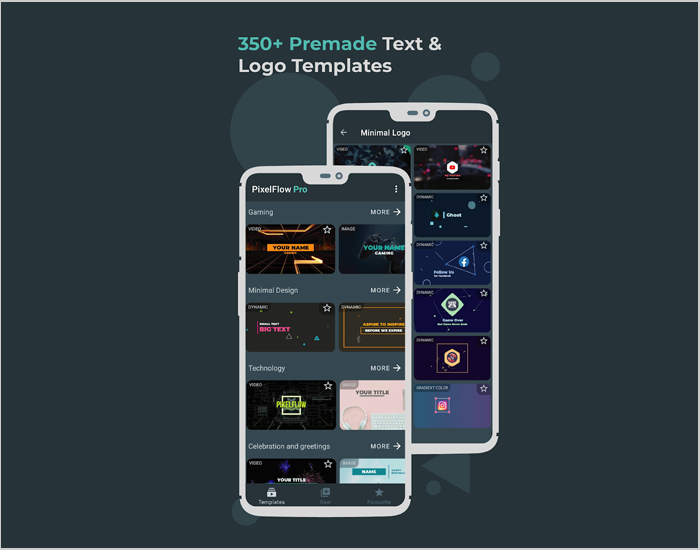
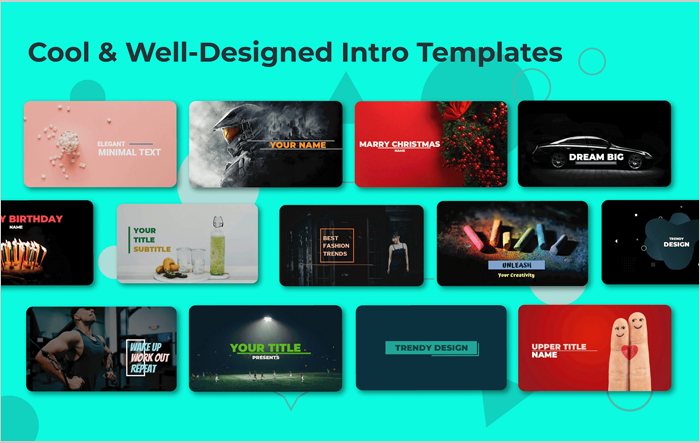
1. 300+ Ready-To-Use Text Animation Templates
Using this PixelFlow app, you can choose from a variety of professionally-made video templates to create appealing intros ready to be customized. PixelFlow app obeys flat design text animation aka 2D animation and motion graphics principles to create smooth computer class text animations and caption videos in a jiffy.
2. 25+ Fully Editable Raw Templates
The app gives you multiple customization options that help you create interactive videos by customizing text size, color & position. There are 25+ raw templates and 2000+ amazing fonts available in this app, while some premium templates can only be used after purchasing a premium subscription. Using this Pixel maker online, you don’t need a third-party application to make a professional video intro; this app is all you need.
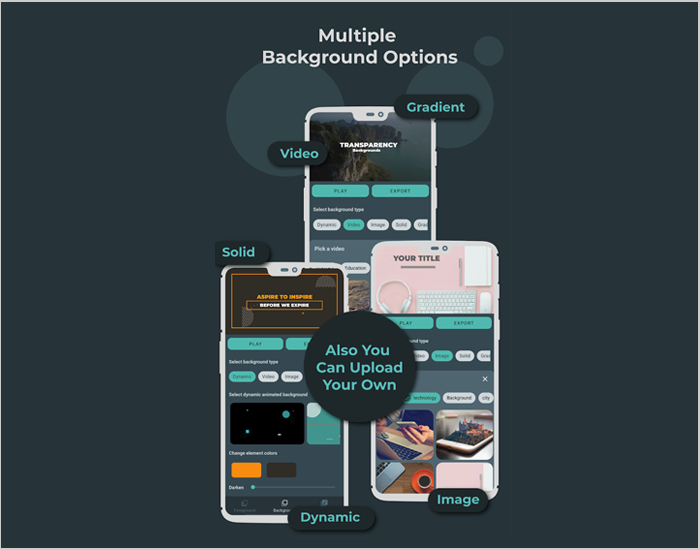
3. 5000+ Dynamic Backgrounds
The app allows you to choose between 15+ latest and fresh backgrounds like dynamic, image, and video. The video maker app has the biggest built-in background library with 1000+ high-quality video backgrounds, 5000+ image backgrounds, 350+ premade gradient backgrounds, and custom solid color backgrounds so far. You can modify the backgrounds based on your branding style. Also, the backgrounds are abstract that fit perfectly with 2D animation videos.
4. Best Intro Maker App for Instagram Reels and TikTok
The text animation app is extremely easy and handy for all digital content creators, designers, marketers, or anyone with no design experience. If you’re a social media influencer on Tiktok, Tumblr, YouTube, Instagram Reels, this Pixel text animation maker app lets you create intros, clips, and animations within a few minutes. Moreover, you can also create festive animated videos and birthday greetings.
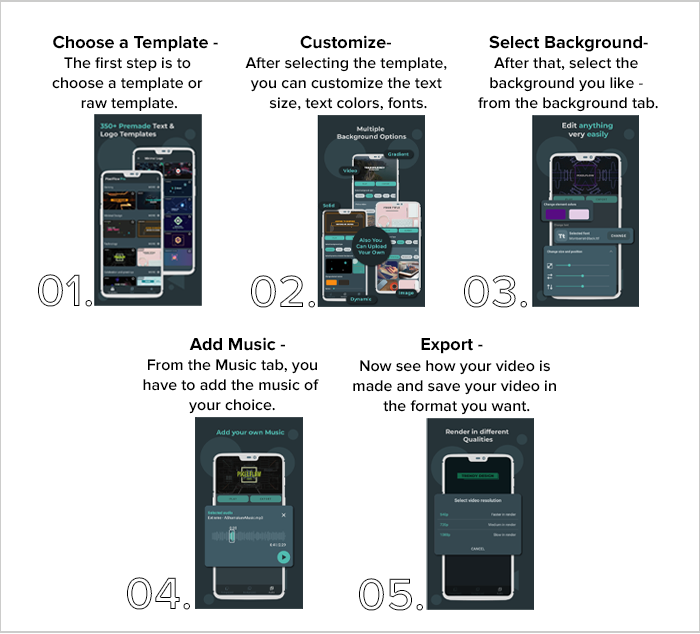
How to use PixelFlow?
PixelFlow is a very simple and easy-to-use app with a beautiful and clean interface. To use the app, follow the below-mentioned 5 steps:-
Awards and Accolades
PixelFlow app is among the PixelFlow Intro Maker App that achieved the first 1 million downloads in just 7 months and 5 million downloads in 22 months with 0 CAC (100% Organic Users).
Future Plans
- They are planning to build PixelFlow as a one-stop solution for Video Content Creators, where users can access ready-to-use premade templates, useful and relevant assets, transition and overlays, logo animations, stock images, etc.
- All this will help users to create content effectively and easily.
- Basically, they want to become Canva for the video content creation industry.
Customer Reviews
How was your experience with the product?