
We are not biased. We test and review every product. Here’s our Methodology.

Mixkit provides free stock footage, music, and sound effects, empowering creators to produce high-quality videos, animations, and media projects.

MobileAppDaily Certified Rating
4.4 out of 5
Let Your Product Take the Center Stage with Our Review
Manish

Written By Manish

Meet Manish Chandra Srivastava, the Strategic Content Architect & Marketing Guru who turns brands into legends. Armed with a Marketer's Soul, Manish has dazzled giants like Collegedunia and Embibe before becoming a part of MobileAppDaily. His work is spotlighted on Hackernoon, Gamasutra, and Elearning Industry. Beyond the writer’s block, Manish is often found distracted by movies, video games, artificial intelligence (AI), and other such nerdy stuff. But the point remains, if you need your brand to shine, Manish is who you need.

Explore More By Author

Mixkit Review: Elevate Creativity with Free Assets

Mixkit Banner

MixKit has been something that I have had my eye on for quite a while. It is said to be a great tool for cranking out videos for clients or just messing around with creative projects. A part of Envato, it comes with a lot of features that certainly make you stop and go, “Is this for real?” It’s honestly rare to find a platform that delivers this much value without making you jump through hoops. MixKit has quickly become one of those go-to tools I rely on when I want my projects to look professional without burning a hole in my wallet.

But when everything looks so perfect, suspicion is bound to arise. So, I did a thorough analysis of the solution to find out if Mixkit actually does what it says. I’m about to break down all the key features, pros, cons, and everything you need to know to get the most out of MixKit. Interested? Check the full Mixkit review here!

Pros and Cons of Mixkit

Pros

  • Updates its video and sound galleries regularly
  • There are no hidden charges
  • Includes 4K videos as well
  • The search option is quick and easy
  • Can filter the type of content while searching
  • No signup required

Cons

  • Can not maintain your personal collection within the tool itself
  • No sign-up means no maintenance of history

Features of Mixkit

Mixkit offers a wide range of free, high-quality video assets, including stock footage, music, and sound effects. Its user-friendly platform makes it easy for creators to download and use content without licensing worries.

1. Crisp, High-Quality Videos — Ready to Use Anytime

High-Quality Videos

MixKit offers a solid library of HD and 4K video clips that actually look professional. Whether I need calming nature shots or busy city scenes, I find exactly what fits my vibe. But what really hits it out of the park is the no copyright stress or hidden fees. I can just download and drop them into my videos, no attribution needed. It saves me tons of time, especially when I’m on a tight deadline.

2. Music Library That Sets the Perfect Mood

The music selection on MixKit is surprisingly diverse. From chill lo-fi beats to dramatic cinematic scores, there’s something for every mood. I’ve used these tracks in both client projects and personal videos, and I never have to worry about licensing because it’s all royalty-free. It’s honestly a huge relief to find great tunes that are legal and free.

3. Sound Effects That Make Your Videos Pop
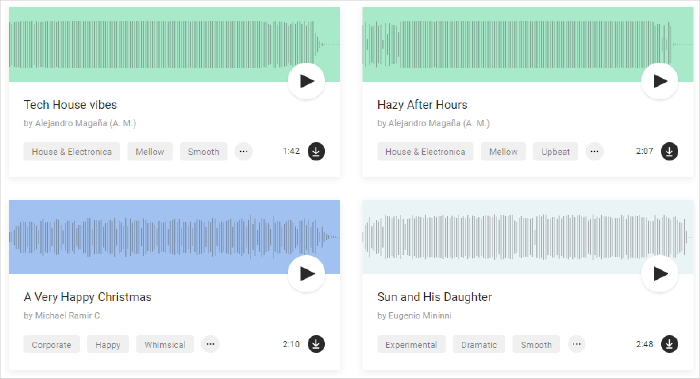
Sound Effects

Want to add some life to your videos? MixKit’s sound effects library is clutch! I’ve grabbed everything from subtle ambient sounds like birds chirping to urban street noise. These effects add that professional touch without costing a dime, and you don’t have to deal with complicated licenses.

4. Handy Video Templates for Editors of All Levels
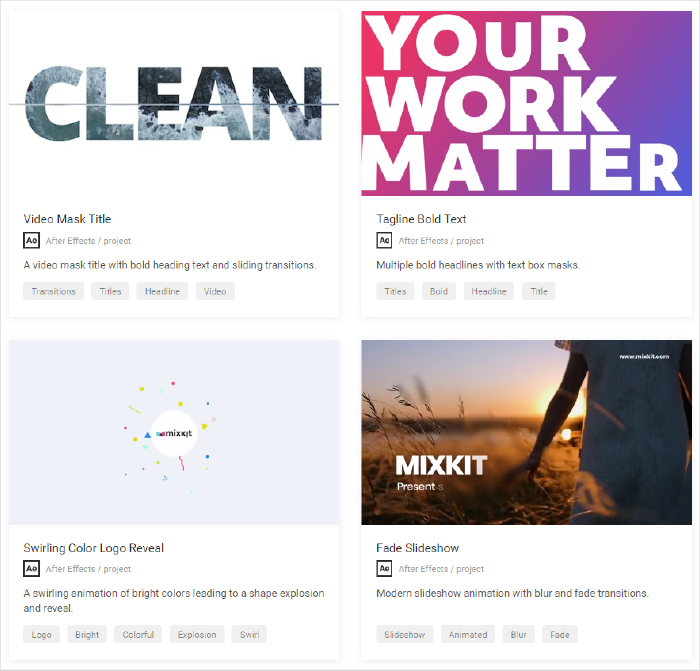
Video Templates

If you’re not a pro editor or don’t have time to build effects from scratch, MixKit’s free video templates are a lifesaver. They have cool intros, transitions, and outros ready for Premiere Pro, After Effects, and Final Cut. I’ve used them to give my projects a polished look quickly, and customizing these templates is super straightforward.

5. Super Easy, No-Fuss Website Experience

One thing I really appreciate is how clean and simple the MixKit website is. No clutter, no annoying ads or pop-ups, and you don’t even have to sign up to start downloading. It’s designed to get you what you need fast, which means less time hunting and more time creating.

6. Licensing That’s Clear and Stress-Free

MixKit nails it with their licensing. All assets are 100% free for personal and commercial use — no attribution required. This clarity means no headaches or legal second-guessing. You just grab what you want and use it confidently, which is a huge bonus for creators like me.

Mixkit Pricing Model

MixKit’s pricing is super simple and user-friendly — all their videos, music, sound effects, and templates are completely free. With no watermarks, no hidden fees, and everything royalty-free, you can use it for commercial projects without worrying about extra costs. It’s a great deal for creators who want high-quality assets to boost their projects without breaking the bank or dealing with complicated licenses.

Why Trust MobileAppDaily?

For us, Product Reviews mean diving headfirst into the functionality of each digital product, whether it’s an app, software, or website. Our process centers around hands-on testing of each tool we pick. From scrutinizing features to testing vulnerabilities of security standards, the goal remains to help you find products that don’t just work but truly elevate your experience. In a nutshell, if we’re recommending a product, it’s because we believe it’ll genuinely make your digital life easier.

  • Products Reviewed - 4,000+
  • No. Of Experts - 20+
  • Categories - 65+
Explore Our Methodology

Customer Reviews

Rate the product based on your experience?

How was your experience with the product?

Also Reviewed By Us

MobileAppDaily’s Rating

MixKit’s pricing is super simple and user-friendly — all their videos, music, sound effects, and templates are completely free. With no watermarks, no hidden fees, and everything royalty-free, you can use it for commercial projects without worrying about extra costs. It’s a great deal for creators who want high-quality assets to boost their projects without breaking the bank or dealing with complicated licenses.

Feature

FEATURE

4.0

Great range of videos, music, sound effects, and templates — just wish some categories were a bit broader.

Pricing

PRICING

5.0

Totally free with no hidden catches — can’t beat that.

Performance

PERFORMANCE

4.0

Fast downloads and reliable streaming previews, but the search could be sharper.

UI/UX

UI/UX

4.5

Clean, intuitive, and easy to navigate — perfect for quick asset hunting without fuss.

How to use Mixkit?

Using Mixkit to enhance your video editing projects is a straightforward process, and its compatibility with popular editing platforms like Adobe Premiere Pro and DaVinci Resolve makes it a versatile choice for creators. Here's a detailed guide on how to use Mixkit:

Step 1: Browsing and Selecting Content on Mixkit

The first step involves visiting the Mixkit website and exploring its vast library of stock videos, music, sound effects, and video templates. You can browse through different categories or use the search function to find specific types of content. When you find a piece of content that fits your project, click on it to view more details. This step is crucial as it allows you to ensure the content aligns with the theme and style of your project.

Step 2: Downloading the Desired Files

Once you've selected the content, the next step is to download it. Mixkit makes this process simple. There's usually a 'Download' button on the content's page. Clicking this button will start the download process, saving the file to your computer. It's important to note that Mixkit offers files in formats that are compatible with major video editing software, so you should choose the format that matches the software you're using.

Step 3: Importing Files into Your Video Editor

After downloading the files, open your video editing software, such as Adobe Premiere Pro or DaVinci Resolve. To import the Mixkit files, you typically go to the 'File' menu and select 'Import' or use the software's drag-and-drop feature to bring the files into your project. This step is about integrating the Mixkit content into your editing workflow, where you can start manipulating and incorporating them into your video project.

Step 4: Editing and Customizing the Content

With the Mixkit files imported into your video editor, you can now begin the creative process of editing. This might involve trimming video clips, adjusting the audio levels of music tracks, or customizing video templates to fit your project's requirements. The flexibility of Mixkit's content allows for a high degree of customization, enabling you to tailor each element to your project's specific needs.

Step 5: Finalizing and Exporting Your Project

The final step is to finalize your video project by adding any finishing touches, such as transitions or color corrections. Once you're satisfied with the edited video, you'll export it from your video editing software in the desired format. This step is about wrapping up your project, ensuring that all elements, including the Mixkit content, come together cohesively.

MobileAppDaily’s Take on Mixkit

I took a deep dive into Mixkit myself, but I wasn’t flying solo — my team also gave it a thorough test from different perspectives. Together, we found Mixkit to be a really solid resource with plenty to like. The huge variety of high-quality videos and music available for free is something that caught my attention from the beginning. It made grabbing the right assets for different projects super easy and quick.

The fact that everything comes with a straightforward, no-strings-attached license (no attribution needed) was a huge relief. I also really appreciated the video templates, it is especially great for people who aren’t video editing experts but still want their projects to look polished. The website itself is clean, user-friendly, and designed for speed, so we didn’t waste any time navigating or signing up.

On the flip side, while the collection is solid, some of the categories felt a bit limited compared to the bigger paid stock libraries. So, if you’re hunting for something really niche, you might hit a wall. The search functionality could be sharper too — it sometimes took a few tries to find exactly what we wanted.

Also, though the video templates are handy, having more options with advanced customization would definitely take it up a notch. But honestly, these are pretty minor issues in an otherwise smooth and reliable experience.

Mixkit
Frequently Asked Questions

  • Can I use Mixkit for YouTube?

    Yes, Mixkit moderators allow you to use its content in your YouTube videos. You can use its clips as they are or even modify them to make them suitable for your content.

  • Is Mixkit copyright free?

  • Can I use Mixkit's content for commercial projects?

  • Do I need to credit Mixkit when using their content?

  • How often is new content added to Mixkit?

  • Is Mixkit free? Are there any hidden costs?

  • What types of content does Mixkit offer?

  • Is Mixkit Safe?

  • Is Mixkit Legit?

Latest Products

Delve into our comprehensive yet easy-to-consume guides, which provide insights that help scale business faster and prevent unseen pitfalls.

Related Products

Cut through the clutter and explore related digital products that deliver on performance.

Fill in the details, and our team will get back to you soon.

Contact Information
+ =

Fill in the details, and our team will get back to you soon.

Contact Information
+ * =