
We are not biased. We test and review every product. Here’s our Methodology.

From filters to resizing, we explore how InstaSize stacks up in 2026. Get the pros, cons, and real-world experience in our review.

MobileAppDaily Certified Rating
4.4 out of 5
Available on:
Let Your Product Take the Center Stage with Our Review
Manish

Written By Manish

Meet Manish Chandra Srivastava, the Strategic Content Architect & Marketing Guru who turns brands into legends. Armed with a Marketer's Soul, Manish has dazzled giants like Collegedunia and Embibe before becoming a part of MobileAppDaily. His work is spotlighted on Hackernoon, Gamasutra, and Elearning Industry. Beyond the writer’s block, Manish is often found distracted by movies, video games, artificial intelligence (AI), and other such nerdy stuff. But the point remains, if you need your brand to shine, Manish is who you need.

Explore More By Author

InstaSize App Review – Best for Quick Edits or Just Overhyped?
InstaSize

Whether it’s personal or for business, social media platforms have become a significant part of our lives. It’s important now more than ever for content creators to circulate attractive and engaging content on their social media channels to get their messages across. 

Social media is all about quality images and videos that you will want to share with your friends. To stand out among the sea of feeds, it’s important that your images and videos reflect your distinct and personal style. Good thing, we now have top photo editing apps that come in handy to achieve the same.  

Today, we will be sharing an app review of one such app that is a complete bundle for people who are seeking the right editing tools to create a consistent aesthetic. 

What Is the Instasize App All About? 

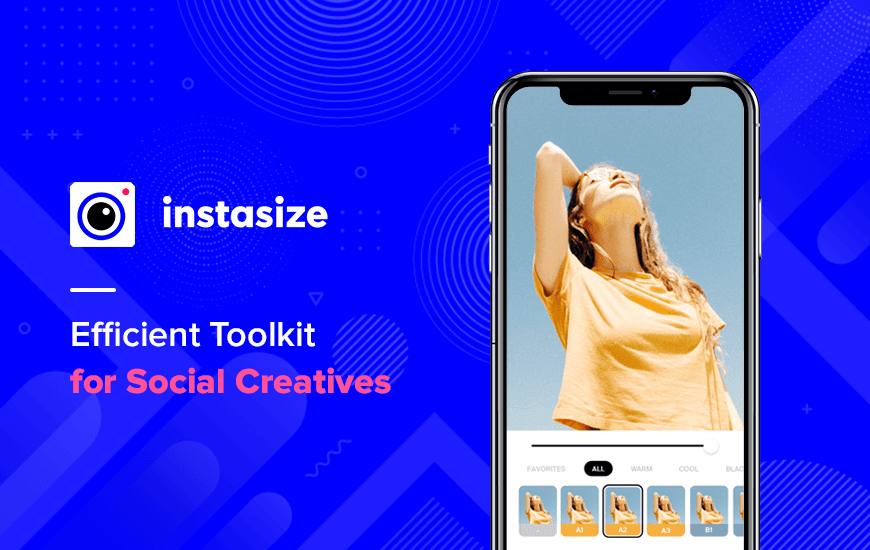
Instasize offers fast and easy editing options that can be utilized to make your social media images more eye-catching. With the app, you get a vast collection of filters and a variety of professional editing tools. 

The video and photo editing online app is a comprehensive creation toolkit for users to enhance their images and videos. On top of that, you can also turn your raw video and images into traffic-generating posts on social media. 
Pros and Cons of InstaSize

Pros

  • Intuitive, user-friendly interface with social media presets for platforms like Instagram, TikTok, Facebook, etc
  • High-quality results with resizing, cropping, filters, and video editing all in one app
  • Built-in AI tools like MAGIC FILL™, object removal, background remover, and caption/hashtag maker enhance workflows
  • Video editing capabilities alongside photo tools—filters, cropping, resizing, apply to clips too
  • Comprehensive toolkit: collages, beauty tools (smooth, whitening, acne removal), text overlays, fonts, backgrounds

Cons

  • Aggressive paywall and frequent subscription prompts, making even basic actions feel ad-heavy
  • Free version limited—most advanced features (AI fill, object removal, caption generator) are locked behind the $4.99/mo subscription
  • Occasional export issues: users report blurred or color-shifted images after editing
  • Reports of accidental premium subscriptions and difficulty unsubscribing due to the interface design
  • Minor UX quirks: vague icons, needing double-taps, one-image selection in collage, occasional laggy or unclear workflow

Notable Features of the Instasize App

You don’t need to be a big influencer to create big edits, edit anytime and anywhere and add a professional touch to your photographs with the help of the Instasize app. Here are some of the features of the Instasize application that make it different from other editing apps. 

1. Naturally Enhancing Filters

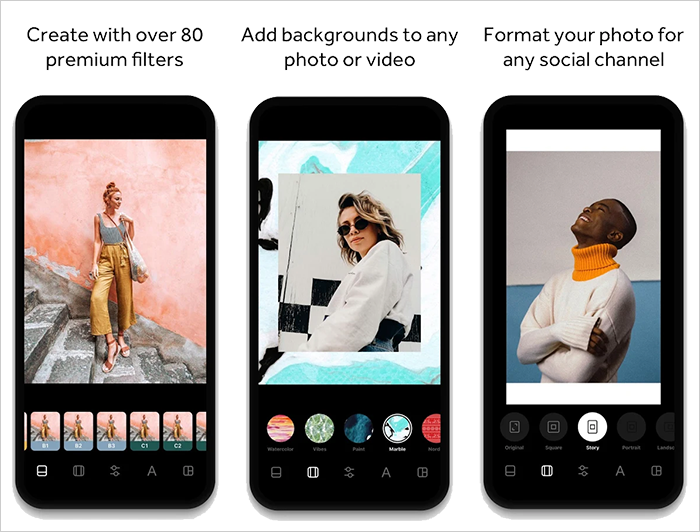
Using this feature of the app you can bring an HD look to any photo and maintain a cohesive feel across all your social media platforms. The app has around 80 photographers inspired by the best filters for pictures. 

2. Advanced Editing Adjustments

This photo editor app helps users to adjust the brightness, contrast, sharpness and much more using this app. It will help you finely adjust the details within your photo. 

3. Collage Maker App

Using this feature you can instantly combine multiple photos and can form a collage. The Instasize app gives you access to hundreds of background, text and photo collage ideas.

4. Social Media Formats

Share your photos in the way they are meant to on different social media platforms with the photo border editor app. Instasize video app lets you resize images as well as videos to get the perfect fit on every social media platform. 

5. Beauty Tools

Use Acne spot removal to whiten your skin and bring attention to certain areas of the photo, all with the help of the beauty tool option of the Instasize photo editor.

6. Pro Fonts and Text Editor

The app features a font editor through which you can add text to your pictures in 50 different unique fonts and designs.

Why should you opt for Instasize?

Explore the best photo editing apps that have been made specifically for content creators. Other than the basic features of the Instasize app, if you take a subscription to the app you will get to use these premium features. 

  • Access to 100+ premium features
  • 80 unique borders
  • Advanced beauty tools 
  • Exclusive content from social influencers to learn tips

Why Trust MobileAppDaily?

For us, Product Reviews mean diving headfirst into the functionality of each digital product, whether it’s an app, software, or website. Our process centers around hands-on testing of each tool we pick. From scrutinizing features to testing vulnerabilities of security standards, the goal remains to help you find products that don’t just work but truly elevate your experience. In a nutshell, if we’re recommending a product, it’s because we believe it’ll genuinely make your digital life easier.

  • Products Reviewed - 4,000+
  • No. Of Experts - 20+
  • Categories - 65+
Explore Our Methodology

Customer Reviews

Rate the product based on your experience?

How was your experience with the product?

Also Reviewed By Us

MobileAppDaily’s Ratings for InstaSize

Feature

FEATURE

4.6

Offers seamless payroll processing, time tracking, and workers’ comp integration tailored for small businesses.

Pricing

PRICING

4.0

Transparent pricing with no hidden fees, but might feel expensive for very small teams or startups.

Performance

PERFORMANCE

4.5

Smooth performance with real-time syncing, fast payroll calculations, and accurate time card processing.

UI/UX

UI/UX

4.4

Clean, intuitive design; easy for both managers and employees to use, though initial setup can be slightly time-consuming.

MobileAppDaily’s Final Verdict for InstaSize

After using the InstaSize app over a two-week period, our content and design teams put it through real-world testing across multiple social platforms. We used it to create Instagram stories, edit YouTube thumbnails, and prepare quick promotional videos for our blog.

InstaSize impressed us with its clean, intuitive interface and wide range of editing features—from filters and resizing tools to AI-powered background removal and object erasing. The app excels at streamlining the editing process for creators who need fast, aesthetically pleasing visuals without switching between multiple tools.

That said, the experience isn’t without its drawbacks. The free version is quite limited, with most of the premium features—like Magic Fill, AI caption generator, and advanced filters—locked behind a paywall. While the subscription is reasonably priced, the constant prompts to upgrade can disrupt the workflow.

We also noticed occasional image export inconsistencies, such as slight blurring or compression artifacts. Still, for content creators looking for an all-in-one mobile editing solution, InstaSize delivers strong value, especially if you're willing to invest in the premium version.

What is InstaSize used for?

Our reviewers primarily use InstaSize in the following areas:

Latest Products

Delve into our comprehensive yet easy-to-consume guides, which provide insights that help scale business faster and prevent unseen pitfalls.

Related Products

Cut through the clutter and explore related digital products that deliver on performance.

Fill in the details, and our team will get back to you soon.

Contact Information
+ =

Fill in the details, and our team will get back to you soon.

Contact Information
+ * =