Android Play Store offers ample calculator and math apps that instantly solve all your needs. However, finding the best Android calculator app that suits your specific needs is challenging with so many apps out there. Also, there's no doubt that smartphones nowadays come with pre-installed calculator apps, but with the changing needs of students and work professionals, we need to upgrade to the best Android calculator apps. With this in consideration, let's uncover the top calculator apps for Android.
Still, the Chrome OS ecosystem is evolving every day with an app library that includes some of the most utilitarian applications. If you have used some of these applications, would surely back me up when I say, you are missing out on an opportunity if you haven't tried them already.Read Less
Top Calculator Apps in 2026


ClevCalc
Top Features
- Intuitive user interface
- Easy-to-use app
- 18 calculator functionality
- In-app purchases
- Intuitive user interface
More about product
ClevCalc is among the best free calculator apps that allow users to manage all the calculation needs for daily life easily. It's an all-in-one solution among the growing list of calculator apps for Android, as it offers a clean interface with easy-to-use functions. It also contains simple trigonometric and logarithmic functions. This best calculator app offers multiple support functions like currency conversion, unit conversion, unit price calculator, hexadecimal converter, savings calculator, and more.
CalcTape
Top Features
- Smooth user interface
- Allows customization of the keypad layout
- Insert feature
- Provides an overview of all calculations
- Smooth user interface
More about product
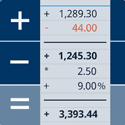
CalcTape is among the best calculator apps for Android that offers the functionality of three apps, including a standard calculator app, a classic desktop calculator, and a note app. CalcTape is not a scientific calculator but is well-appreciated by users. The USP of CalcTape is the insert feature that allows users to keep an overview of the figures and check and correct the figures instantly by inserting and making corrections using a new line. The app will enable you to place the cursor everywhere, like a note.
Due to this feature, this best free calculator app for Android is also considered a "spreadsheet with a calculator". You can keep the calculations as records and customize the most used buttons on your keypad. Also, if you want to create your own functions, you can do it with a single button tap. The app comes in two versions - the basic free and the pro update. The pro version provides extensive features like printing calculations, export as HTML, keypad layout selector, and text snippets insertion.
Calculator Pro
Top Features
- 5+ calculator functionalities
- Intuitive user-friendly design
- Customizable precision and decimal place
- Offline assistant for daily life
- 5+ calculator functionalities
More about product
Calculator Pro is an excellent free calculator app for Android that easily converts to a scientific calculator app with a one-click switch. This calculator app for Android can meet all your requirements like basic, scientific, currency, units, tips, discounts, and tax calculations instantly. The app supports scientific calculations like square, root, parentheses, percentage, trigonometric, exponential, and logarithmic functions, along with basic math operations.
Users can easily keep the last expression freely with a moveable cursor, and the app saves the history for copying and pasting. Users can use the unit conversion and currency conversion functionality to convert units, and it supports over 150+ currency conversions. Moreover, the tip and tax calculations offer discount prices, bill-split features, tip calculations, and more.
HiPER Scientific Calculator
Top Features
- Offers three layouts for different screen sizes
- All-in-one scientific calculator app
- Smooth UI
- Free and pro versions are available
- Offers three layouts for different screen sizes
More about product
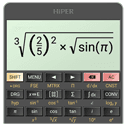
HiPER scientific calculator is the best scientific calculator app, with over 35 million downloads and 200,000 five-star ratings. This scientific calculator app has up to 100 digits of significance and nine digits of exponent and quickly detects repeated decimals. Additionally, numbers in the app can be entered as fractions. It also allows you to write expressions naturally and gives an overview of the calculations.
Users can use a multiline display to access the complete history of calculations, allowing them to choose from several high-quality themes. Also, the calculator has many settings to manage the full-screen mode, decimal, thousand separators, etc. This scientific calculator app offers 31+ functions, making it among the most popular and fantastic calculator applications. This best free scientific calculator app for Android provides built-in help to guide users through functionalities and features in detail.
This best scientific calculator app has three layouts suitable for various screen sizes:
- Pocket for small devices
- Compact for smartphones (Portrait and landscape orientation)
- Expanded for tablets
Calc
Top Features
- Multiple themes to suit your interests
- Intuitive user interface
- Automatic calculation result
- All-in-one calculator app for Android
- Multiple themes to suit your interests
More about product
Calc is among the best calculator apps to download for Android in 2024, as it offers excellent features that assist users in their daily routines. It is a simple, functional calculator app with a smooth UI. Users can touch to edit numbers and operations, reuse previous calculation results for subsequent calculations, and share and store results with the note app included in this app.
It's considered a unique calculation app as it offers multiple themes and a smoothly designed interface with a flat style. Also, this one of the best calculator apps gives you an overview of all calculations in one line and allows editing at any position. The app includes advertisements and in-app purchases that provide access to special features in the app.
Financial Calculators
Top Features
- Smooth UI
- No permissions required
- Completely free with no in-app purchases
- Smooth UI
More about product
Financial Calculators comprise a series of calculators to help with your finances. This one of the best calculator apps offers a complete package of financial calculators that users can leverage at different levels. Finance & Investment, loan/mortgages, retirement, stock, credit card, auto loan, lease, and various calculating functionalities are a few to name that is included in this one-stop calculator.
Users can send their calculation results to others via email. Also, this best calculator app for Android allows them to edit and prioritize the list of calculators for easy access from the home screen. The USP of this best calculator app is offline access, and only currency converter features require an internet connection to retrieve the latest exchange rate. It is a free Android calculator app for in-app purchases that don't need any permissions.
Calculate Simply
Top Features
- User-friendly interface
- Supports complex calculations
- Clean, intuitive layout
- Accurate and efficient
- User-friendly interface
More about product
Calculate Simply is a top-notch calculator app for Android. It's easy to use and can help with all kinds of math problems, from simple ones to harder ones. Whether you're a student or a professional, it's perfect for you. It has a clean layout and is really simple to use. Calculate Simply makes sure your math is correct and gets done quickly, whether you're doing easy math or harder stuff. It's not just a calculator; it's a handy tool that makes math easier for everyone.
Mobi Calculator
Top Features
- Customizable buttons
- Requires less memory space
- High accuracy
- Access to entire history, comments, and sharing
- Customizable buttons
More about product
Mobi Calculator is the best free calculator app for Android for users who appreciate unparalleled usability and functionality. The app offers an easy-to-use interface and suits users of all ages, from students to working professionals. The app provides several calculation modes, modern material, safe, dark themes for battery optimization, DMS displaying mode, and more. This best free Android calculator app without ads does not require unnecessary permissions like internet connection, geolocation, contacts, and SMS. Moreover, the app can be accessed offline too.
This free calculator app for Android does offer a pro version that gives the ability to store history records, edit expressions, and additional themes.
Tech Specifications
Metrics Android Latest Version 2.1.4 Device Supported Android 5.0 and up Subscription 2.99 Top Features
- Handwriting calculator app
- Smooth and interactive UI
- Instant results
- Supports basic mathematic operations
- Handwriting calculator app
More about product
MyScript Calculator2 is among the most interactive calculator apps for Android. The app turns your devices into interactive pieces of paper and allows you to write calculations intuitively and naturally without a keyboard. The app also comes loaded with functionalities enabling users to interact with the app smoothly and comfortably. Use multiline to continue the same calculation on the following line.
Also, users can erase anything by using scratch-out gestures and drag-and-drop numbers from and to the canvas. Copy results to a clipboard, export them to another app, or save results to memory- everything is possible with this app. Additionally, users can also retrieve history to reuse or export. The app is best suited for users from high school to college students.
Stylish Calculator
Top Features
- Intuitive interface with gesture-based control and navigation
- Support for Samsung multi-window
- Multiple themes
- Instant results
- Intuitive interface with gesture-based control and navigation
More about product
The stylish calculator is another best calculator app for Android that allows users to calculate with ease for free. It's an everyday use calculator with enhanced custom, colorful, stylish themes to make your day. It offers the functionality of both regular and scientific calculators, and users can see instant results as they enter calculations. The app provides a simple and full keypad layout for better view and access. You can create user-defined constants, see the memory keys option, customize the scientific keypad, and more. The app offers a complete package for your everyday calculation needs.
Hope you liked the information about the best calculator apps for Android you must know. You can use the calculator pre-installed on your phone for regular calculating work. However, if you need an upgraded calculator to solve your Math needs instantly, you can choose from the above list.
We cut through the deafening digital noise to find what truly works. Every product on our list survives a relentless, hands-on analysis—no exceptions. We do the grunt work to deliver verified, trustworthy recommendations, so you can choose the right tools with absolute confidence.
- Products Reviewed - 4,000+
- No. Of Experts - 20+
- Categories - 65+






We've got more answers waiting for you! If your question didn't make the list, don't hesitate to reach out.