
InstaSuperSave Review: Instagram Photo and Video Downloader
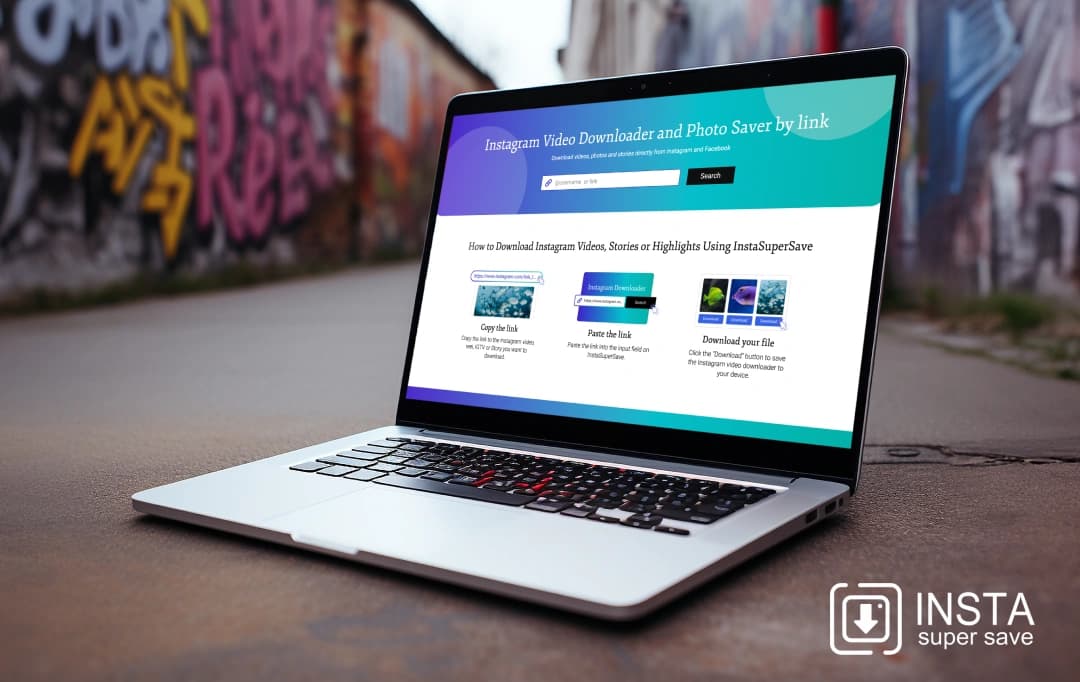
Have you ever stumbled upon an Instagram video that was perfect for downloading, only to find out the platform doesn’t support direct downloads? You're not alone; many face this frustration daily. The market is full of apps claiming to solve this issue, but only a select few do so flawlessly. Among them, InstaSuperSave promises to effectively fill this void. As I delve into this InstaSuperSave review, I approach the tool with cautious optimism, eager to discover if it really offers the seamless solution to downloading Instagram videos that it claims. The objective is straightforward - to provide a transparent, candid perspective on the app’s functionality in practical situations. I will personally scrutinize its features, delineating the advantages, drawbacks, and all nuances in between. This will enable you to judiciously decide if it deserves inclusion in your digital tool list. Together, we will ascertain if InstaSuperSave genuinely lives up to its grand claims or merely contributes to the digital clutter on our devices.
Pros and Cons of InstaSuperSave
Pros
- Offers exceptional value by providing high-quality software at a competitive price
- Innovative tools and features help businesses streamline operations and boost productivity
- Enhanced interactions with customers and stronger engagement
- Instagram photo downloader is optimized for use on tablets, mobile phones, and computers.
- Content can be shared across various platforms and can be repurposed for different projects
Cons
- Navigation can be difficult for beginners
- Limited integration with third-party plugins and services may restrict the software’s functionality and hinder collaboration.
- Bugs or glitches can disrupt workflow and impact the quality of the final product
Features of InstaSuperSave
I was quite impressed with the powerful features that set InstaSuperSave apart from the competition. With its innovative tools and advanced functionalities, this tool offers numerous benefits.
1. Video Downloader
I could easily download Instagram videos, stories, and reels in stunning HD quality with just a few clicks. Its video downloader is a powerful tool that supports high-resolution downloads, ensuring you never miss a moment and can enjoy exceptional viewing quality.
2. Automated Publishing
With InstaSuperSave’s automated publishing feature, you can save time and effort. All I had to do was schedule or time my posts in advance and let the tool handle the rest, ensuring consistent and timely content delivery to the audience.
3. Content Management System
As a content creator, this is a boon for me! It offers a content management system (CMS) to streamline your content organization. Easily manage, categorize, and retrieve your Instagram photos and videos, keeping your content library tidy and accessible.
4. Photo Downloader
InstaSuperSave’s Instagram photo downloader makes it simple to save your favorite photos from posts, carousels, and stories. Whether you are captivated by stunning images, inspired by quotes, or treasuring memorable moments, this feature allows you to create a personalized collection.
Also Read: Best Instagram Photo Editing Apps
5. Analytics
It offers robust analytics to help you understand your Instagram performance. These detailed insights into engagement, reach, and audience behavior helped me make informed decisions to optimize my content strategy.
6. Customer Engagement
Boost your interaction with followers using customer engagement tools in InstaSuperSave. Respond to comments, track interactions, and engage with your audience more effectively, enhancing your overall social media presence.
7. Facebook Downloader
The free Facebook Video Downloader is a tool designed to help you convert Facebook videos to MP4 format. You can then download these videos onto your computer or mobile device for future use.
8. Multi-Account Management
It simplifies managing multiple Instagram accounts. You can switch between accounts seamlessly and handle different profiles with ease, making it ideal for social media managers and businesses.
9. Threads Downloader
The Threads video downloader efficiently extracts and saves video content from Threads profiles. By inputting the profile link into the tool, you can effortlessly convert and store videos on your PC or smartphone for future access.
How to Use InstaSuperSave?
Follow these steps to download Instagram content using InstaSuperSave. This quick guide ensures you can easily save your favorite posts, videos, and stories.
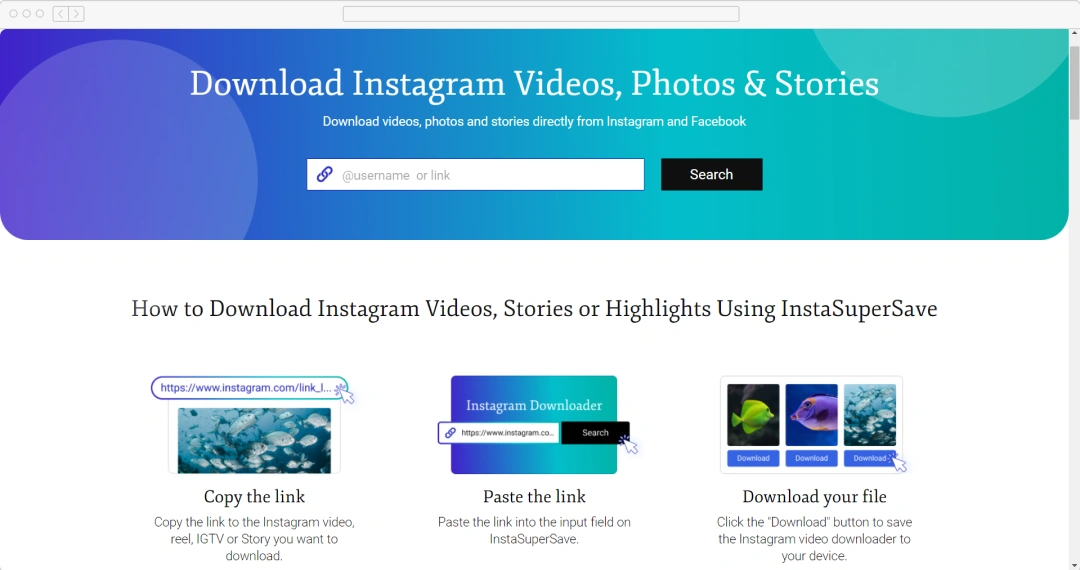
Step 1 - Find the Instagram Post
Begin by locating the Instagram post you want to download. This could be a photo, video, reel, story, or any other type of post. Navigate to the specific post on Instagram using your mobile device or desktop browser.
Step 2 - Copy the Post’s URL
Once you have the post open, click on the three dots (...) usually found at the top right corner of the post. From the dropdown menu, choose “Copy Link.” It will copy the accurate URL of the post to your clipboard.
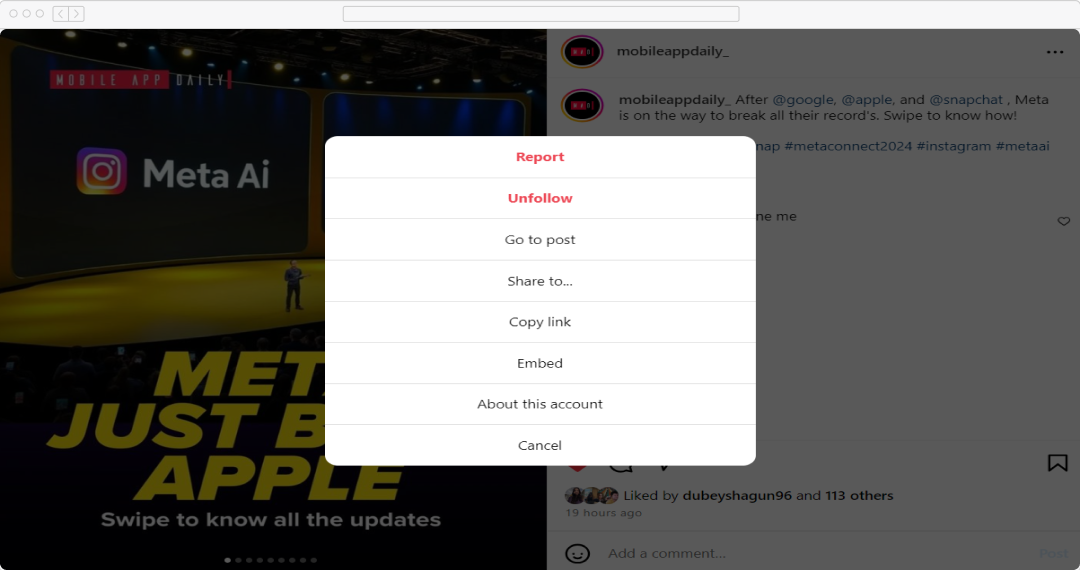
Step 3 - Paste the URL on InstaSuperSave
Open your web browser and go to the InstaSuperSave website. You will see a designated box or input field on the homepage. Click on this input field and paste the URL you copied from Instagram.
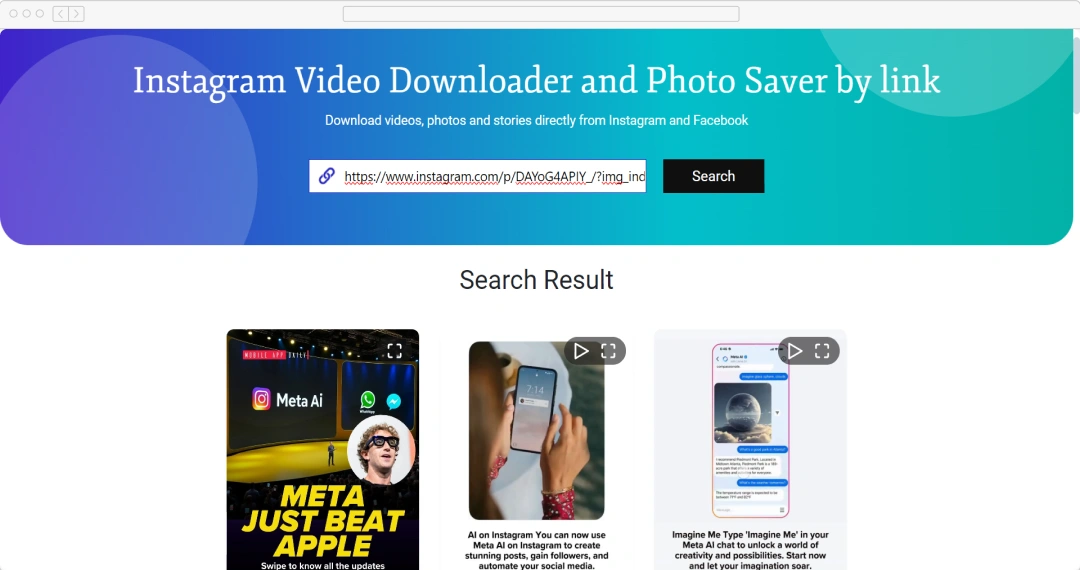
Step 4 - Start the Download
After pasting the URL, look for the “Download” button next to the input field. Tap it to start the download process. The tool will begin processing the URL.
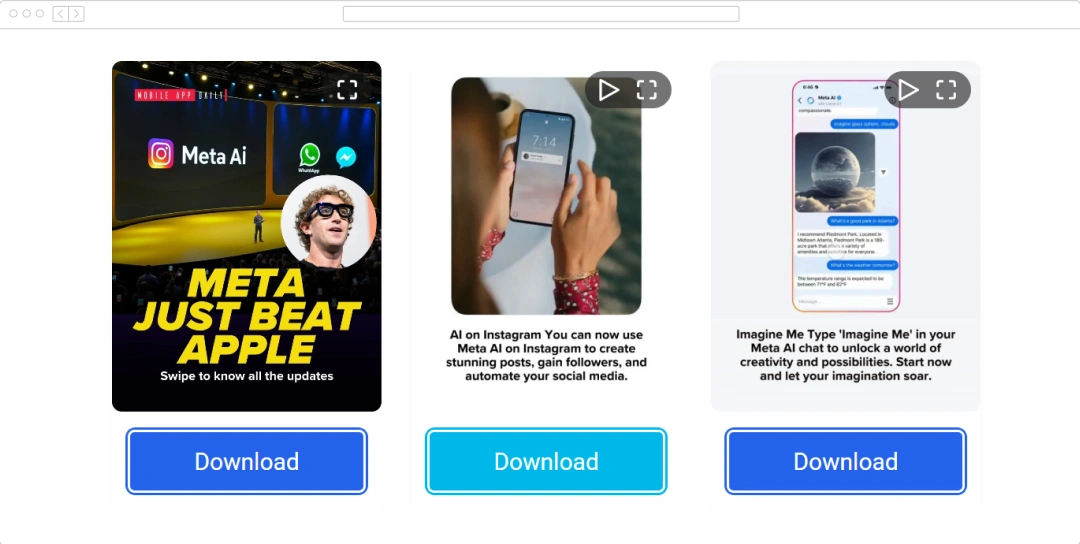
Step 5 - Choose the Desired Download Option
This tool will present you with several download options. You can choose to download an individual post, an entire profile, an album, or a playlist. Select the option that fits your needs.
Step 6 - Wait for the Download to Complete
Once you have selected your download option, the tool will begin downloading the content. Wait for the download to complete. The time required will depend on the size and quantity of the content you are downloading.
Step 7 - Access Your Downloaded Content
After the download is complete, the content will be saved to your device. You can access and enjoy your downloaded Instagram photos, videos, stories, or albums at any time, no matter where you are.
Also Read: How to download Instagram videos
Crucial Tips to Remember When Using InstaSuperSave
Here are some tips and strategies to make the best use of InstaSuperSave.
1. Understand Copyright and Ownership
When using Instagram downloaders like InstaSuperSave, remember that users own their posted content, though Instagram can use and share it too. Always respect copyright laws - unauthorized downloading may infringe on copyright.
3. Maintain Compatibility
Keep the tool up to date to optimize your InstaSuperSave experience. Regular updates ensure compatibility with Instagram’s latest features and changes, allowing you to download content seamlessly. Keeping the tool updated helps maintain smooth performance and access to all the newest Instagram functionalities.
4. Organize Your Saved Instagram Content
Efficiently organize your saved Instagram content to ensure easy access and enjoyable browsing. You can conveniently categorize your saved photos and videos using the built-in feature available in this tool. It also allows you to create separate folders on your device tailored to specific categories and themes.
5. Safeguard Your Downloads
Backups ensure the safety of your downloaded Instagram content. Using trusted cloud storage services or an external hard drive stores your files securely. This preventive measure guarantees that your valuable content is protected and accessible, even if your device encounters issues or data is lost.
You can read more about Instagram video and photo downloader apps to learn about other options available.
What do the Users Have to Say About InstaSuperSave?
This tool is an exceptional app that offers a seamless and efficient way to view Instagram highlights anonymously and download content from Instagram and Facebook. Here are some notable InstaSuperSave reviews that define users’ experiences, both positive and negative.
Customer Reviews
How was your experience with the product?